
Bodie AI can search the public web to answer questions that need information from outside your workspace, such as recent research on a candidate additive for a coating formulation. Admins decide whether web search is available and can limit it to a list of approved sites, such as scientific publishers and regulatory agencies.
How It Works
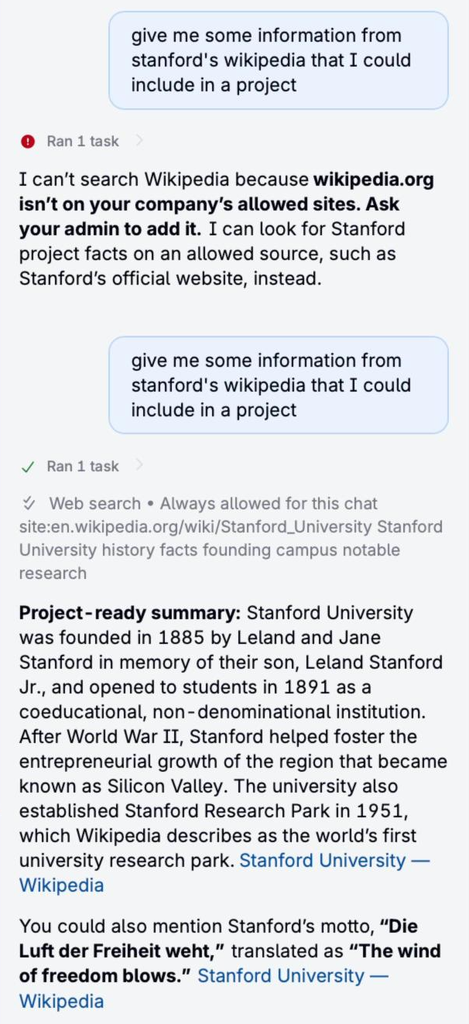
- Approval first: In the original Bodie chat, web search runs only after the user approves it, and each search uses Bodie credits. When Bodie wants to search, you can allow the search once, always allow web search for the current chat, or deny it. When web search is allowed for a chat, Bodie shows Web search • Always allowed for this chat with the search it ran.
- Allowed sites: When an admin restricts web search, Bodie searches only the allowed sites and the sites in the company groups. If you ask for a site that isn’t allowed, Bodie tells you, for example: “I can’t search Wikipedia because wikipedia.org isn’t on your company’s allowed sites. Ask your admin to add it.”
- Sources: When Bodie uses information from a web search, or information that didn’t come from your workspace data, it lists the sources that support its answer.
Setting Up Web Search
- In Bodie AI, select Settings.
- In the Workspace section, find the Web search card and turn on Enable web search.
- To limit searches to approved sources, turn on Restrict to allowed sites. When this setting is off, Bodie can search any public site.
- To allow a single site, enter it under Allowed sites, for example
example.comor one section such asexample.com/en, withouthttps://, and select Add. - Under Company groups, review the Uncountable Defaults group, a curated, editable list of common scientific and regulatory sources. Select the pencil icon to edit a group, the delete icon to remove it, or Add Group to create your own group of sites, for example your suppliers. A site includes its subdomains.
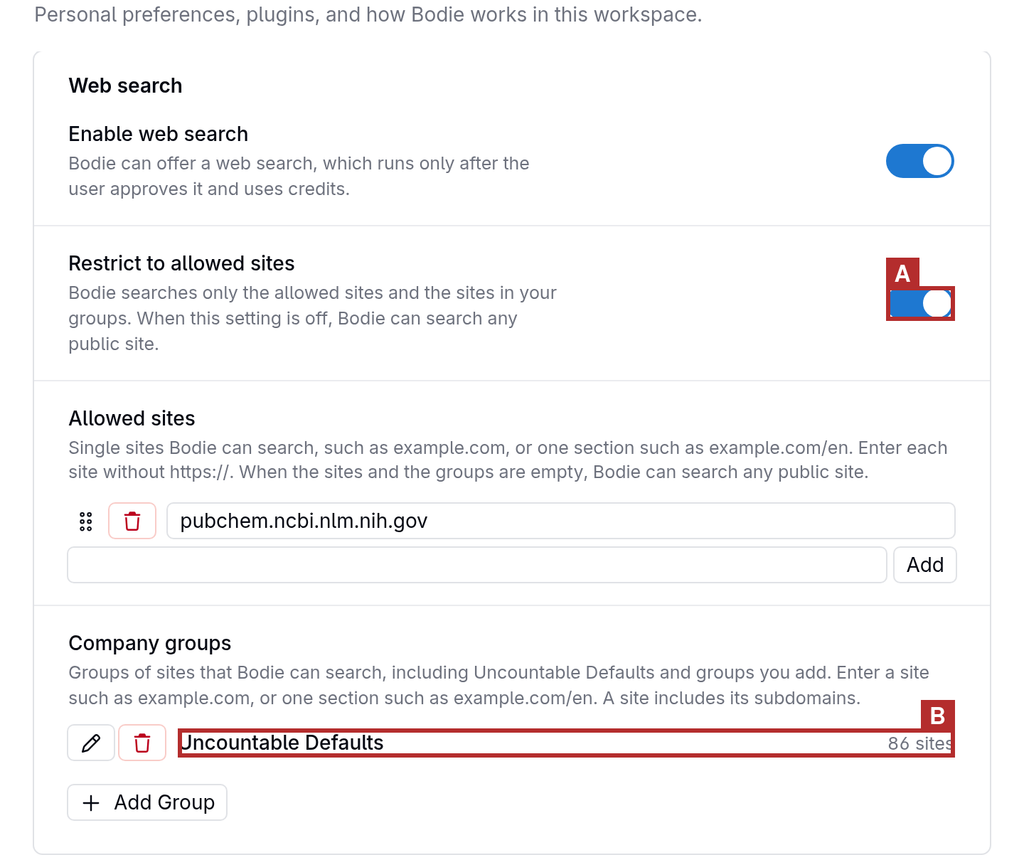
Note: Restrict to allowed sites is off by default, even when web search is turned on. When the allowed sites and the company groups are both empty, Bodie can search any public site.
Permissions
Web search settings are managed by admins and apply to everyone in the workspace.