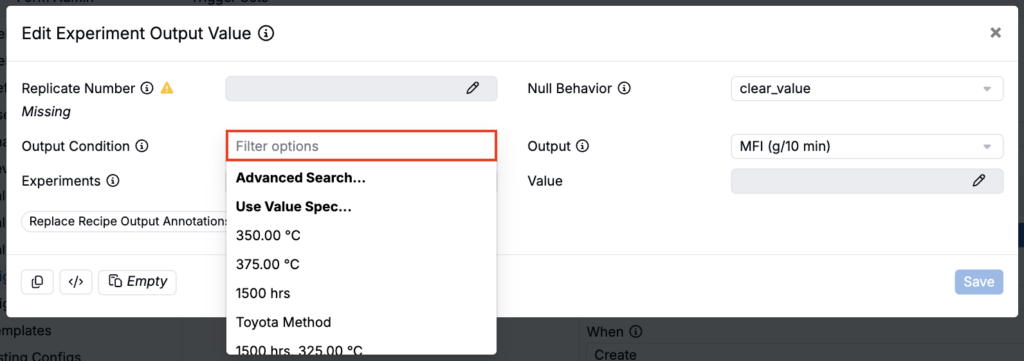
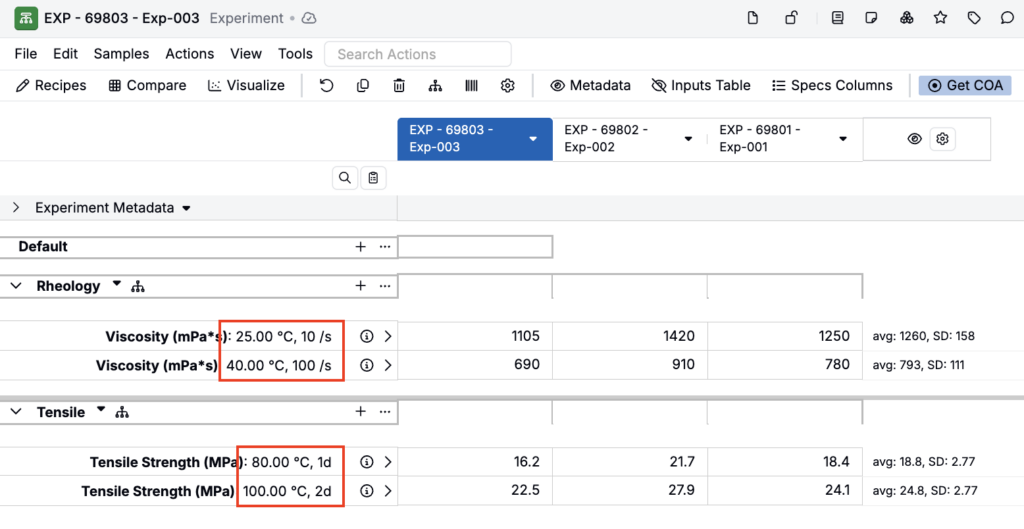
Output conditions are the specific sets of condition parameter values applied to individual output measurements. When you add an output to an experiment and specify condition parameters (e.g., Temperature = 100°C, Aging Time = 7 days), you create an output condition for that measurement. The output condition holds both the condition parameter (e.g. Temperature), and its value (e.g. 100°C) for multiple sets of condition parameters and values. Therefore, “Temperature = 100°C, Aging Time = 7 days” represents one overall output condition.
Multiple measurements of the same output can have different output conditions, allowing you to compare results across different testing contexts. Output conditions are also used in specs and triggers, where they define the specific condition parameter values to match or apply.
Output Conditions in Specs
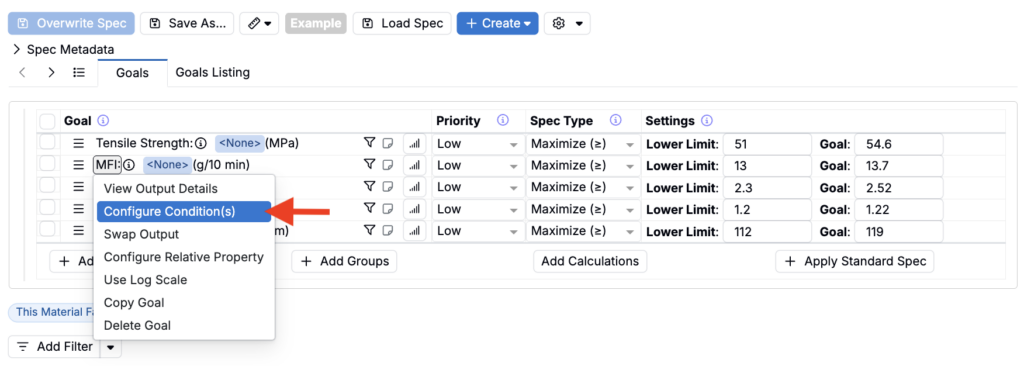
When configuring a spec, you can assign output conditions to each goal to focus on the test conditions most relevant to your process. After adding an output to a spec, click on it and select Configure Condition(s) to add goal conditions.
- If conditions are selected, the spec evaluates only measurements matching those specific condition parameter values.
- If no conditions are selected, the system uses all available measurements and collapses them into a single averaged value.
For example, if MFI is measured under different test temperature conditions (e.g., 190 °C and 230 °C), you can configure the spec to focus on only the conditions that matter for your process.
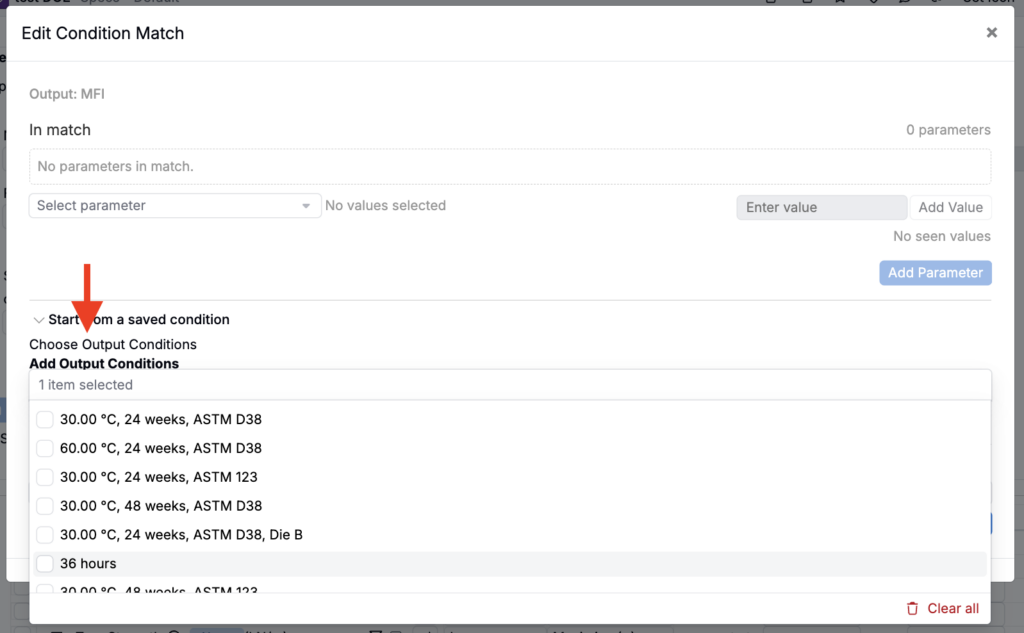
In the modal, use the Add Output Conditions field to select existing conditions.
Output Conditions in Triggers
Output conditions are also used in trigger actions such as Set Recipe Outputs, where they define the condition parameter values that should be applied when outputs are added to recipes programmatically. Each output condition slot maps to a specific condition parameter, allowing triggers to automate the application of testing contexts.
When configuring triggers that reference output conditions, the condition parameter values are passed through as part of the trigger payload, ensuring that automated recipe outputs carry the same condition context as manually entered measurements.