
You can now use Bodie AI to directly edit and save reactions to notebook cells, entity forms, and listings. When you have a notebook open that contains reaction cells, Bodie AI gets full context on the reaction table, so you can describe a change in plain language instead of manually redrawing the structure or re-entering reactants and products.
How to edit a reaction with Bodie AI
With a notebook containing a reaction table open, describe the change you want in the Bodie AI chat. Bodie AI reads the existing reactants, products, and catalysts, looks up the relevant compound structures, and updates the chemical structure directly.
Example prompts:
- “Add a methyl esterification reaction to this table.”
- “Give me a more complicated metal reaction using platinum.”
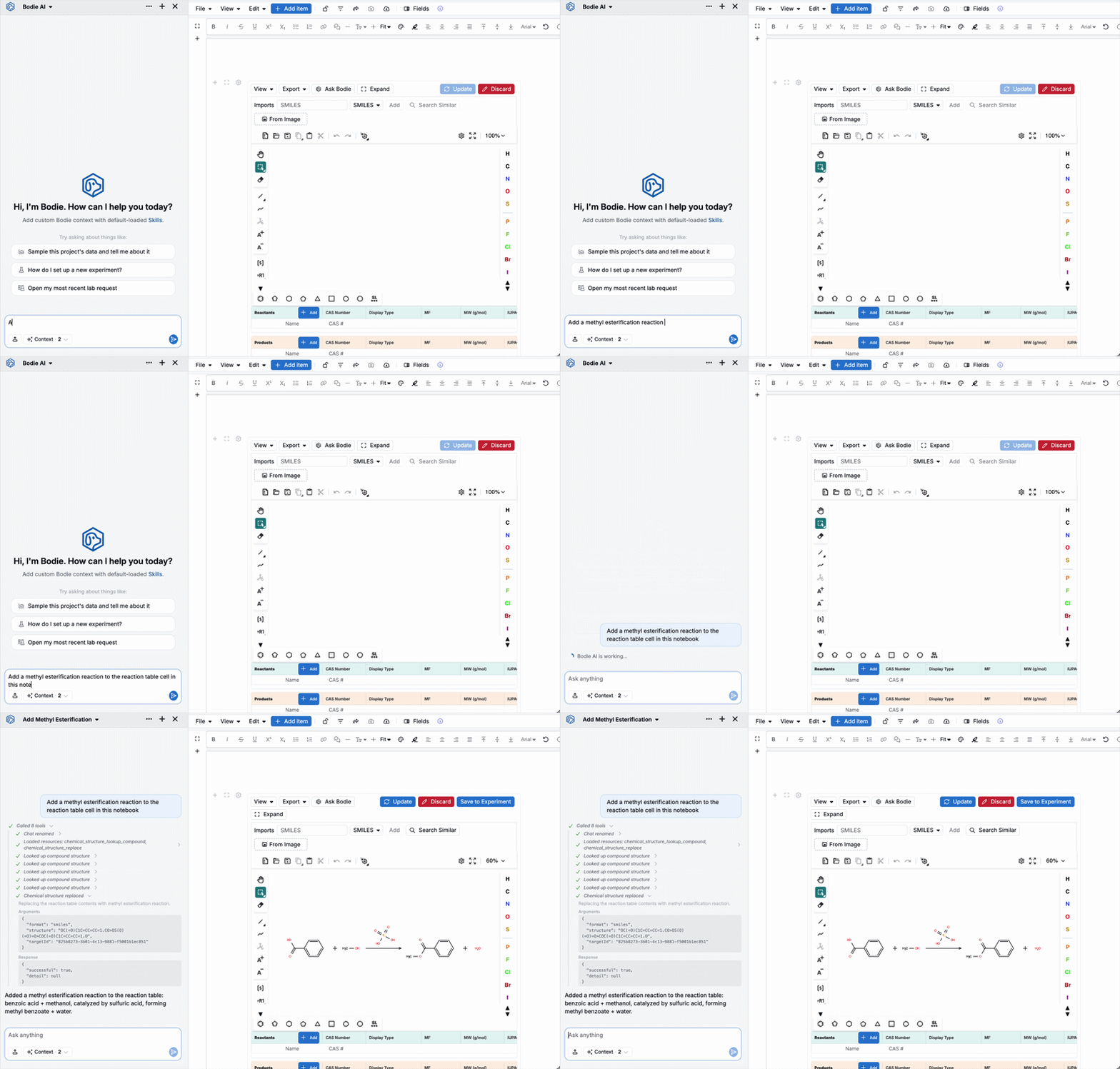
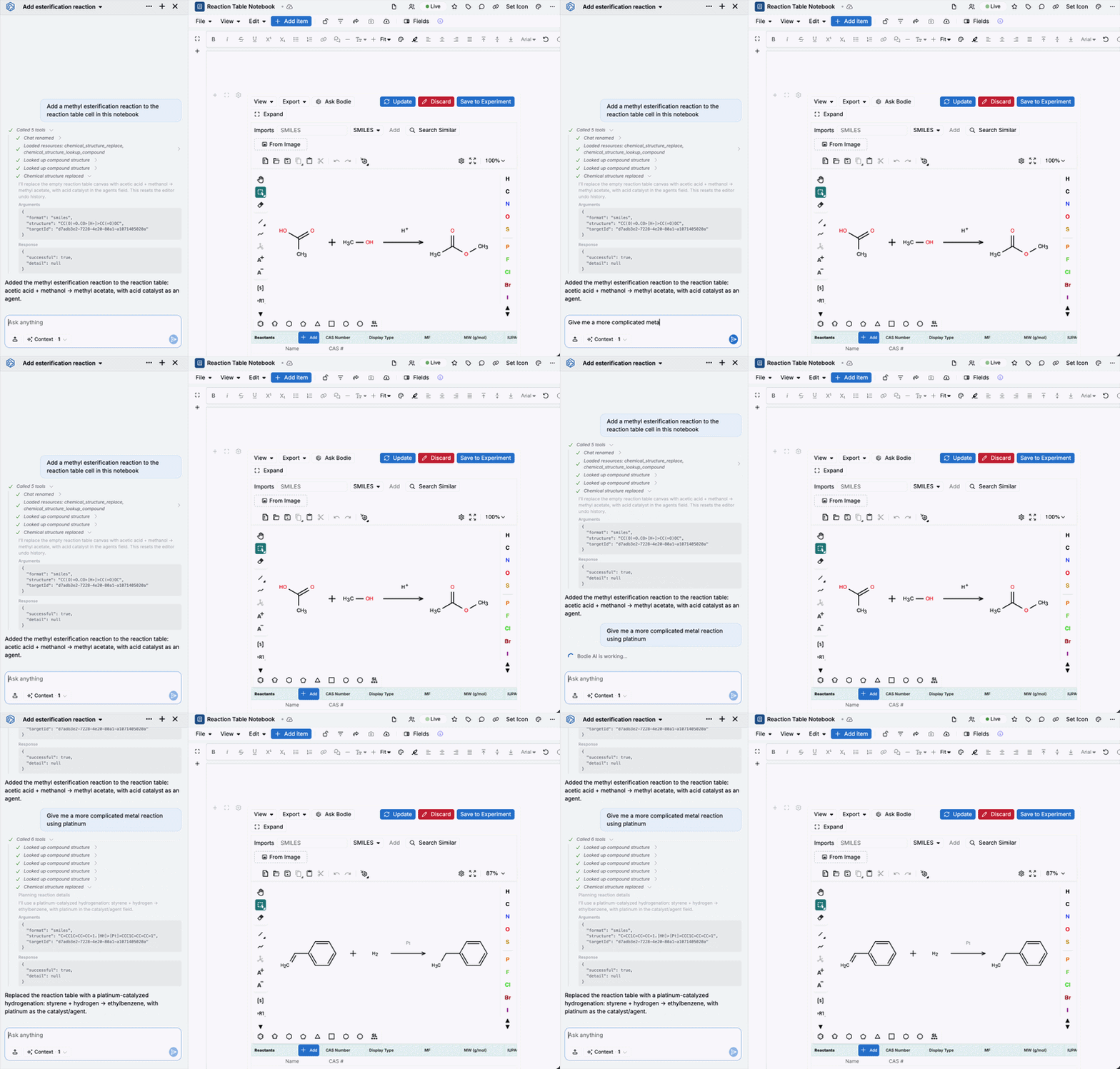
Bodie AI repopulates the Reactants, Products, and Catalysts tables to match the new structure, complete with CAS numbers, molecular formula, and molecular weight. Review the change, then click Update to accept it or Discard to reject it, and Save to Experiment to persist it to the experiment.
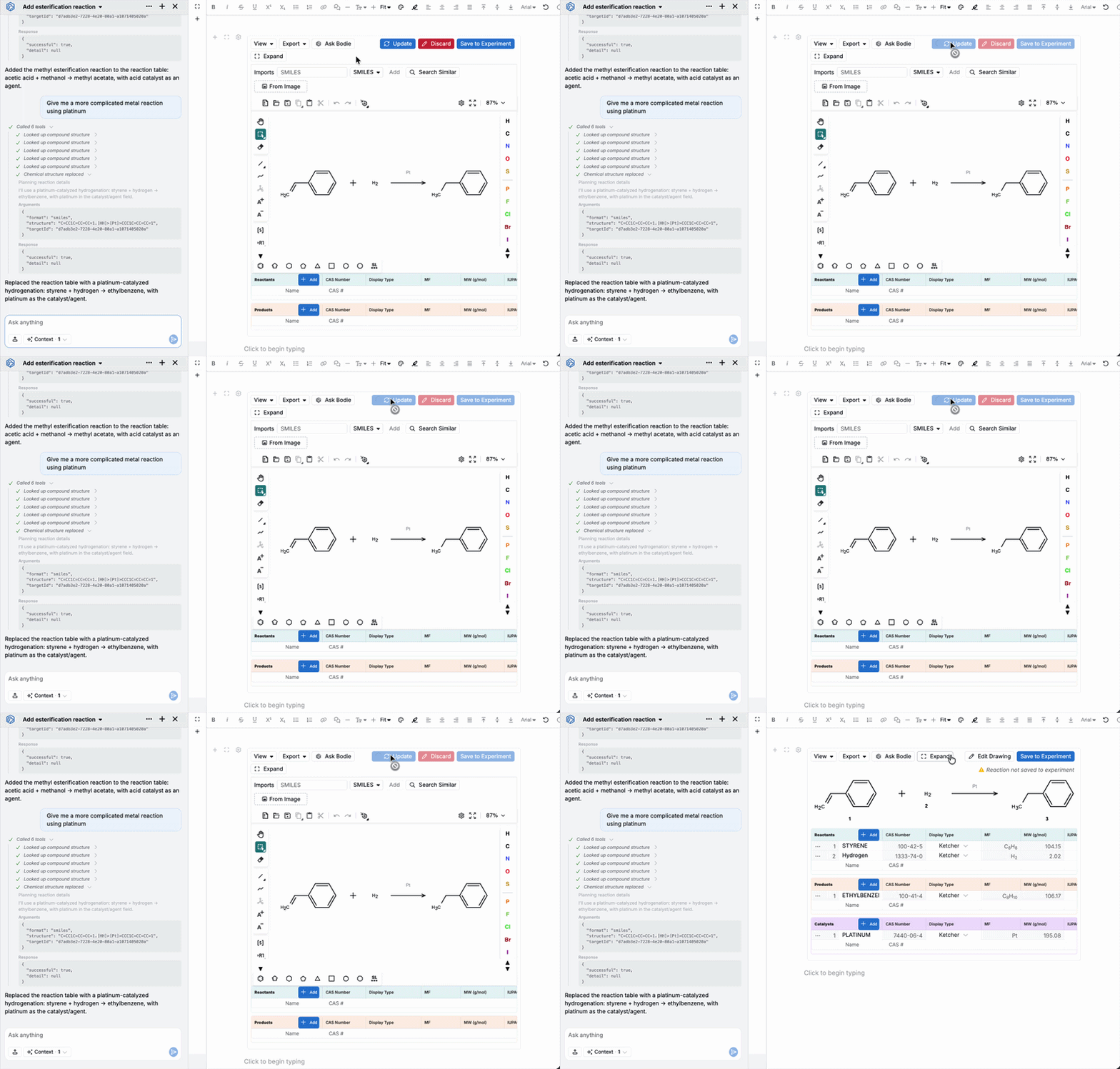
You can also use Bodie AI to directly edit and save reactions to notebook cells, entity forms, and listings.
Tips
- Keep the reaction table open and in focus in the notebook so Bodie AI has the context it needs to edit it.
- Review Bodie’s proposed structure before accepting it — click Discard and refine your prompt if it’s not quite right.
- The same prompts work for entity forms and listings — describe the field or record change you want, and Bodie AI will apply and save it.