An update to listing Quick Filters is rolling out soon to make filtering faster and keep listing controls more consistent.
Quick Filters will now live under the listing controls, and selecting a Quick Filter will no longer create a duplicate filter chip in the Filters panel.
What’s changing
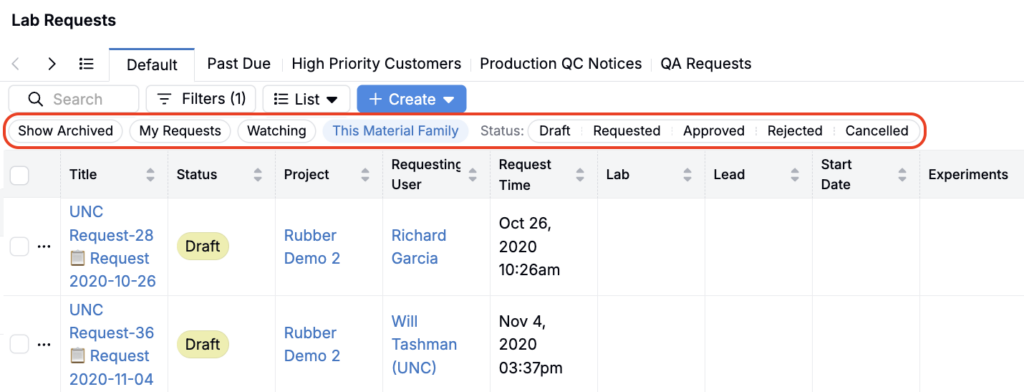
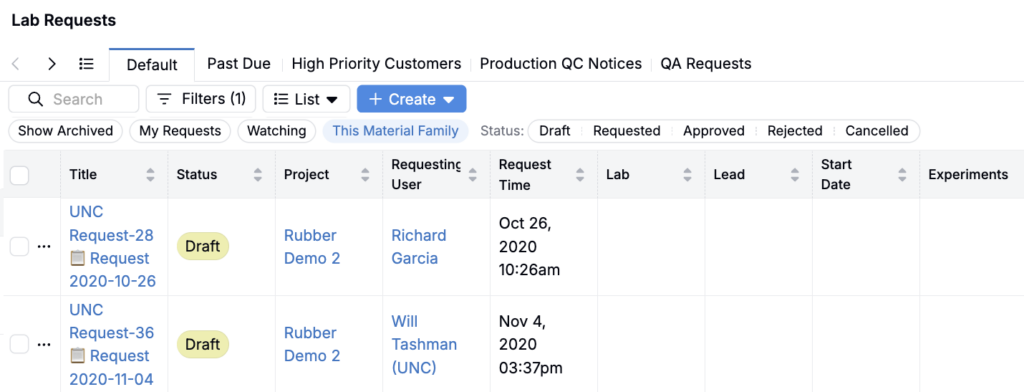
Quick Filters moved under listing controls
Before: Quick Filters appeared separately from the main listing controls (Search, Filter, List, Create).
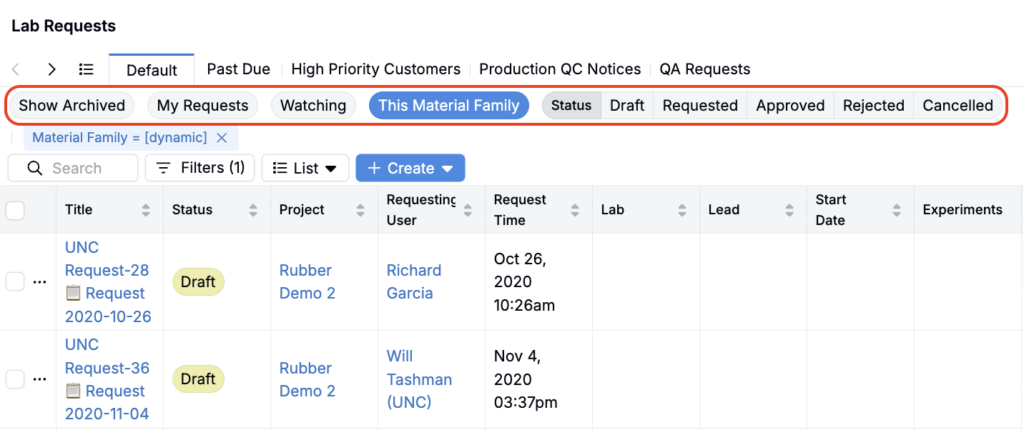
Now: Quick Filters appear under the listing controls, grouped alongside the rest of your listing tools.
No duplicate filter chips
Before: Selecting a Quick Filter could also show that same filter as a separate chip/tag, duplicating the indicator.
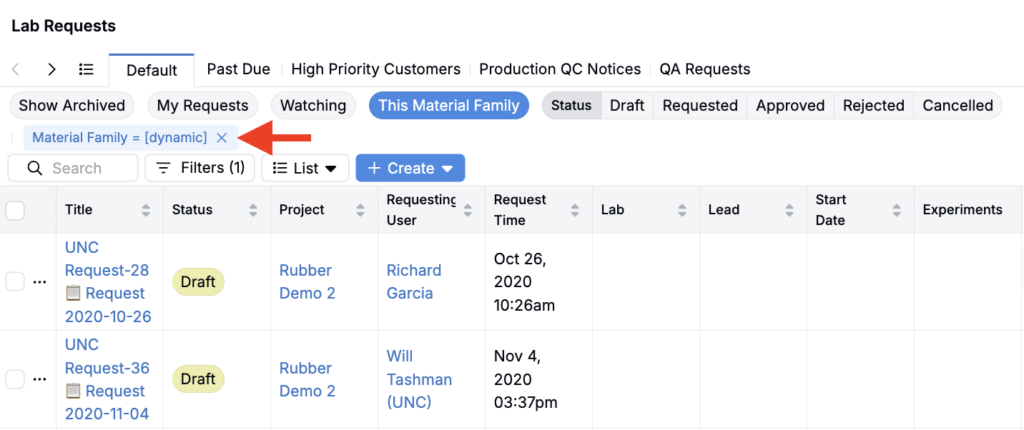
Now: Quick Filters are no longer duplicated. Selecting a Quick Filter won’t create an extra chip elsewhere, so you don’t see the same filter represented twice.
Why this change
- Faster filtering: Quick Filters are easier to find and use when they live alongside the rest of the listing controls.
- Cleaner, more consistent UI: The active filter state is shown once (no duplicate chips), making it easier to understand what’s applied at a glance.
Rollout
This update is will roll out by Friday, May 1.
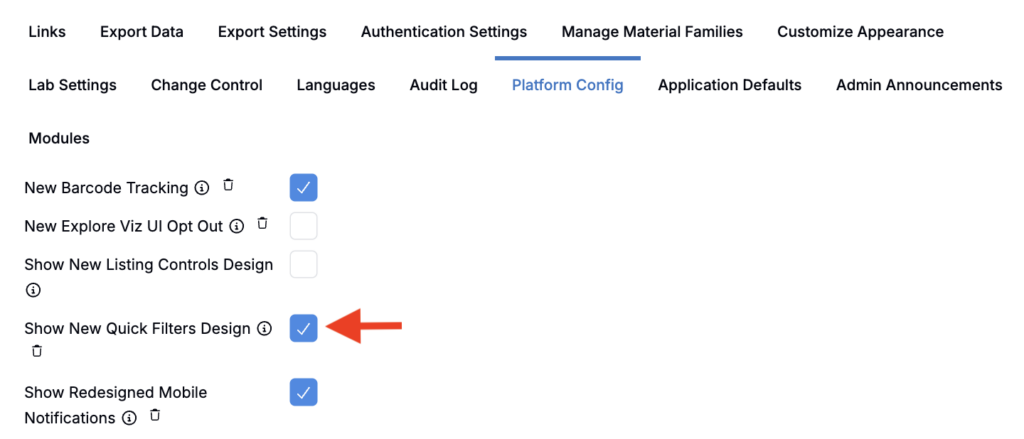
To opt in early and preview the change, admins can enable the Show New Quick Filters Design setting in the Platform Config tab of the Company-Wide Settings page.
Once implemented fully, this will be enabled by default in all schemas, and no action is required from end users.