
Runsheets are configurable recipe exports that let you download a structured view of recipe and experiment data (for example ingredients, process parameters, outputs, and other metadata) into a shareable file.
In Uncountable, teams can create multiple runsheets and reuse them across experiments.
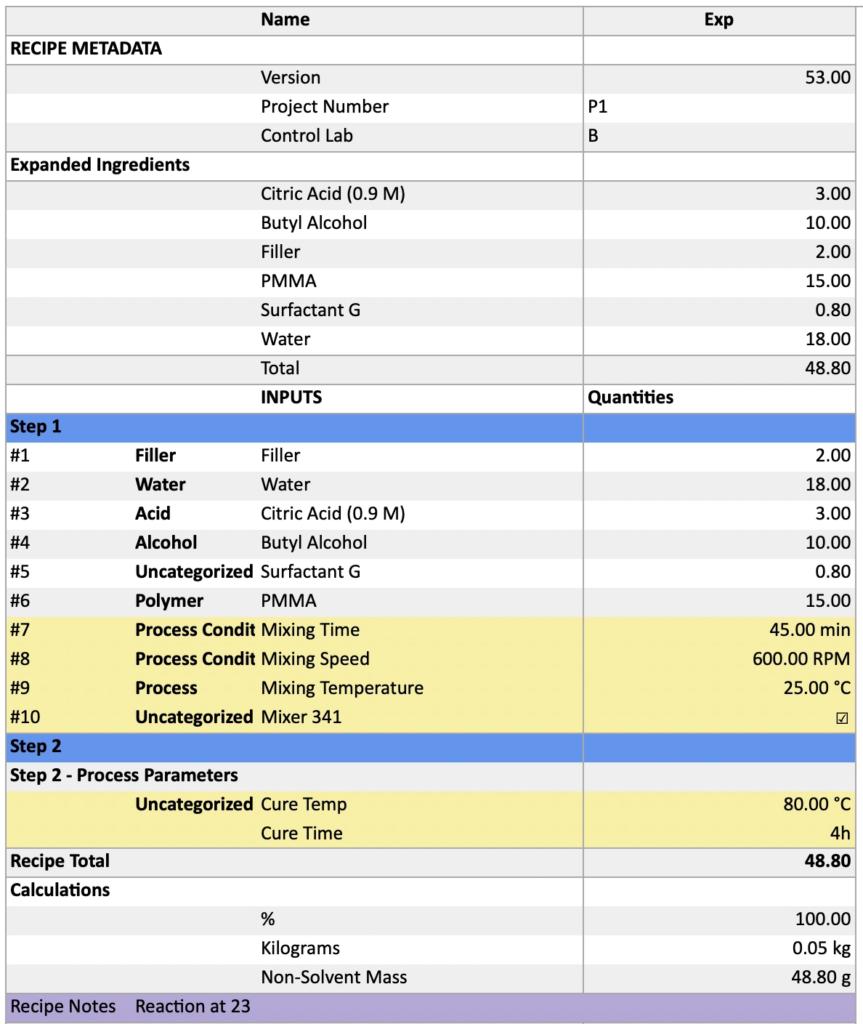
Configuring runsheets
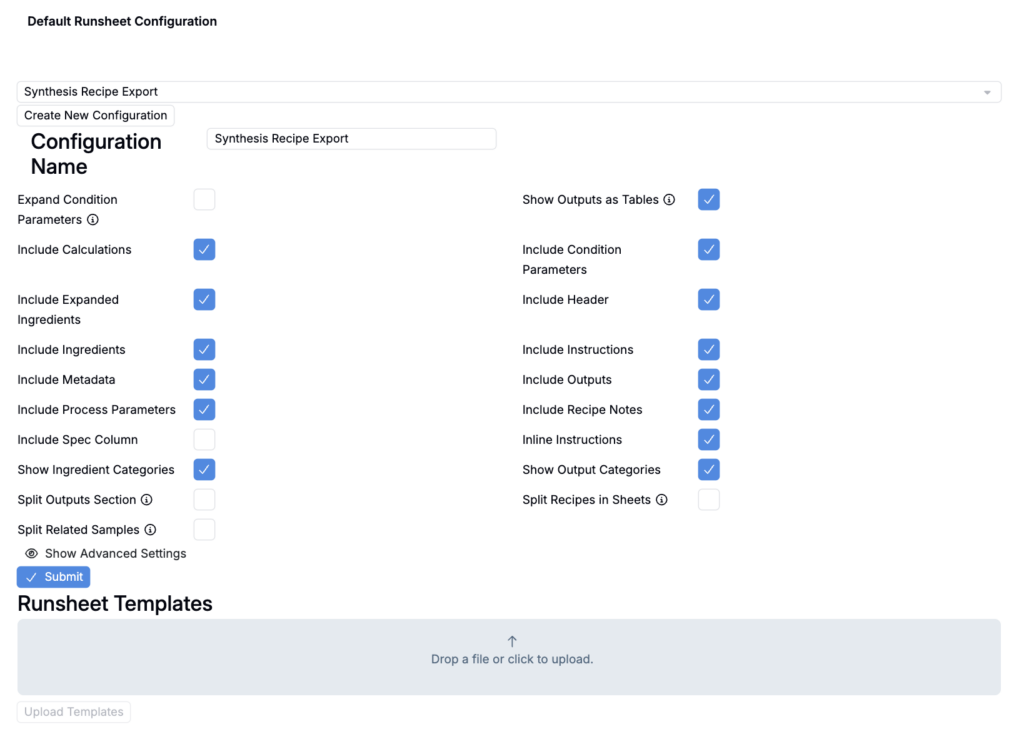
Creating and configuring runsheets is a two-step process. First, create a runsheet configuration on the Default Runsheet Configuration page. Next, associate that runsheet configuration with a Recipe Export definition on the Form Admin page.
To learn how to create and configure runsheets, refer to the dedicated article on this topic:
Exporting a runsheet
Once runsheets are configured, users can export them from the Recipe, Measurements, Compare, or Lab Request pages.
From the Recipe/Measurements page
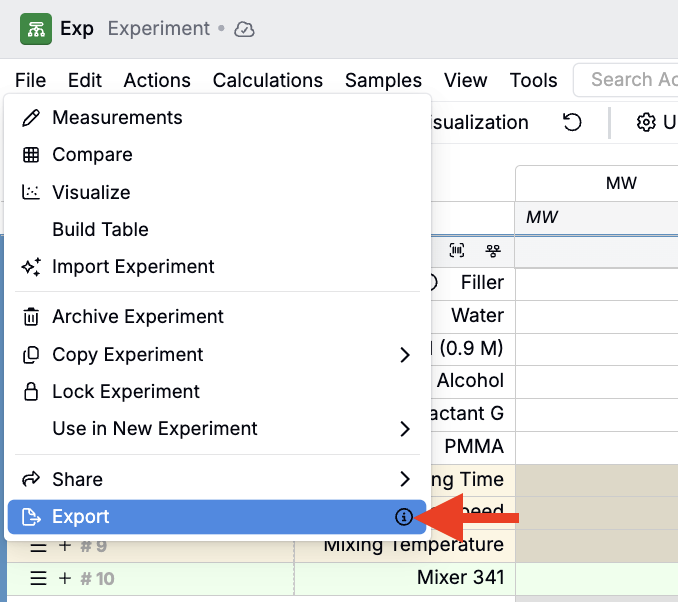
- Click File > Export.
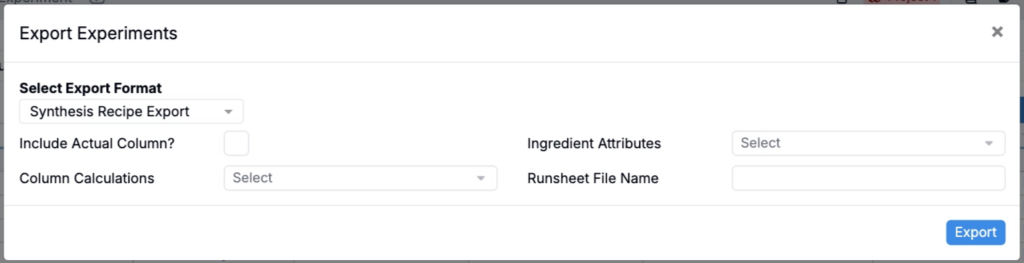
- Select your runsheet in the Export Format field.
- Configure any export settings.
- Click Export.
From the Compare page
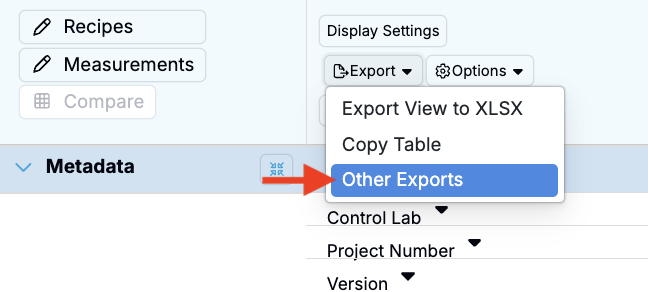
- Click Export > Other Exports.
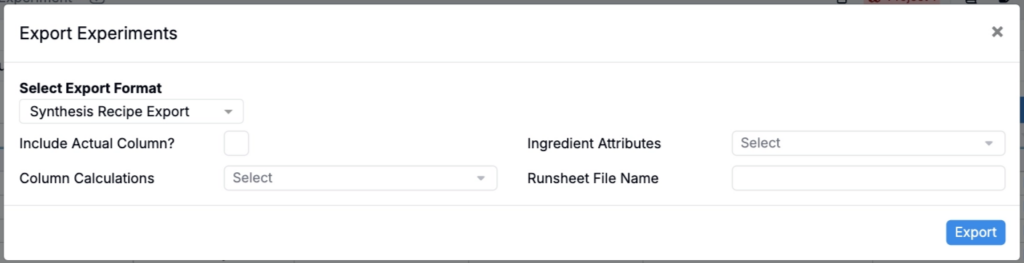
- Select your runsheet in the Export Format field.
- Configure any export settings.
- Click Export.
From a Lab Request
- Click Download Runsheet.
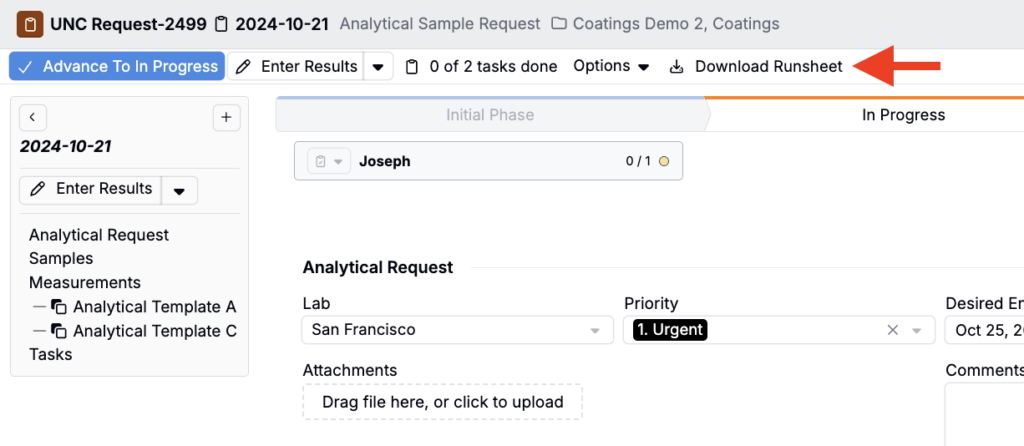
Note: The exported runsheet will reflect the settings defined in the Runsheets and Labels tab of the Lab Request definition.