Next week, we’re updating dropdown menus across Uncountable with a refreshed selection experience for both single-select and multi-select fields. When a menu is open, selected values will now be easier to spot, review, and update.
What’s changing
Single-select Fields
Before: The selected value was bolded but not clearly surfaced within the menu.
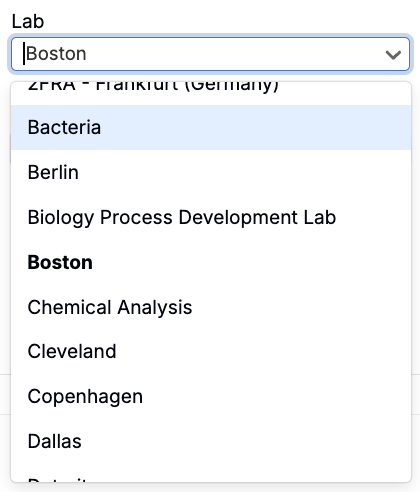
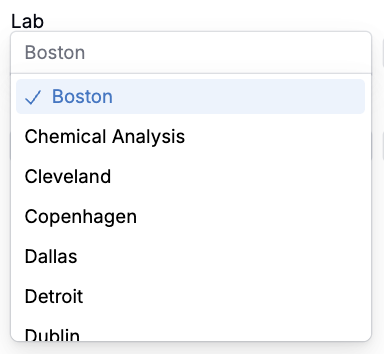
Now: The selected value will be highlighted, marked with a checkmark, and pinned to the top of the menu.
Multi-select Fields
Before: Selected values were automatically removed from the menu once chosen.
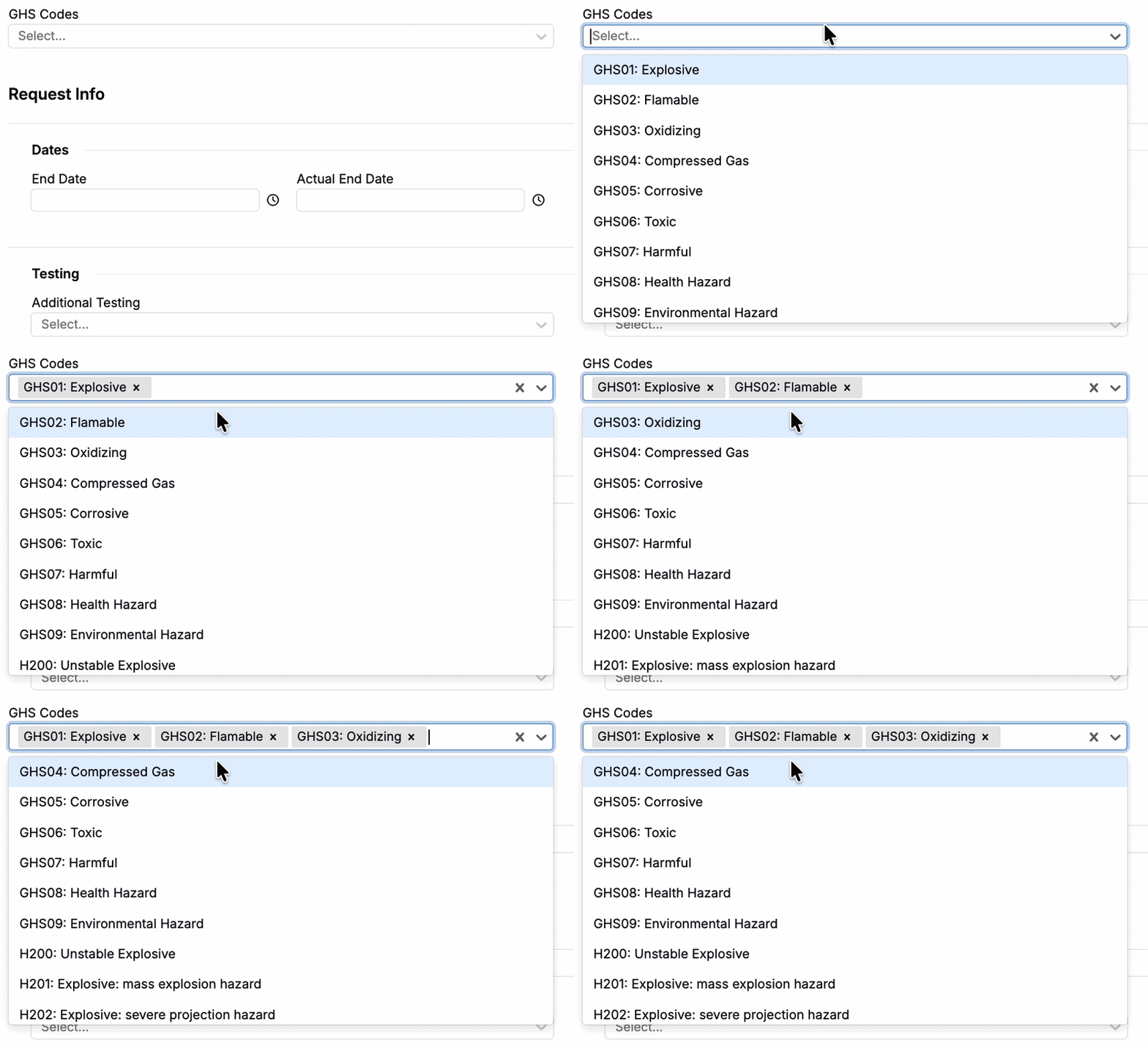
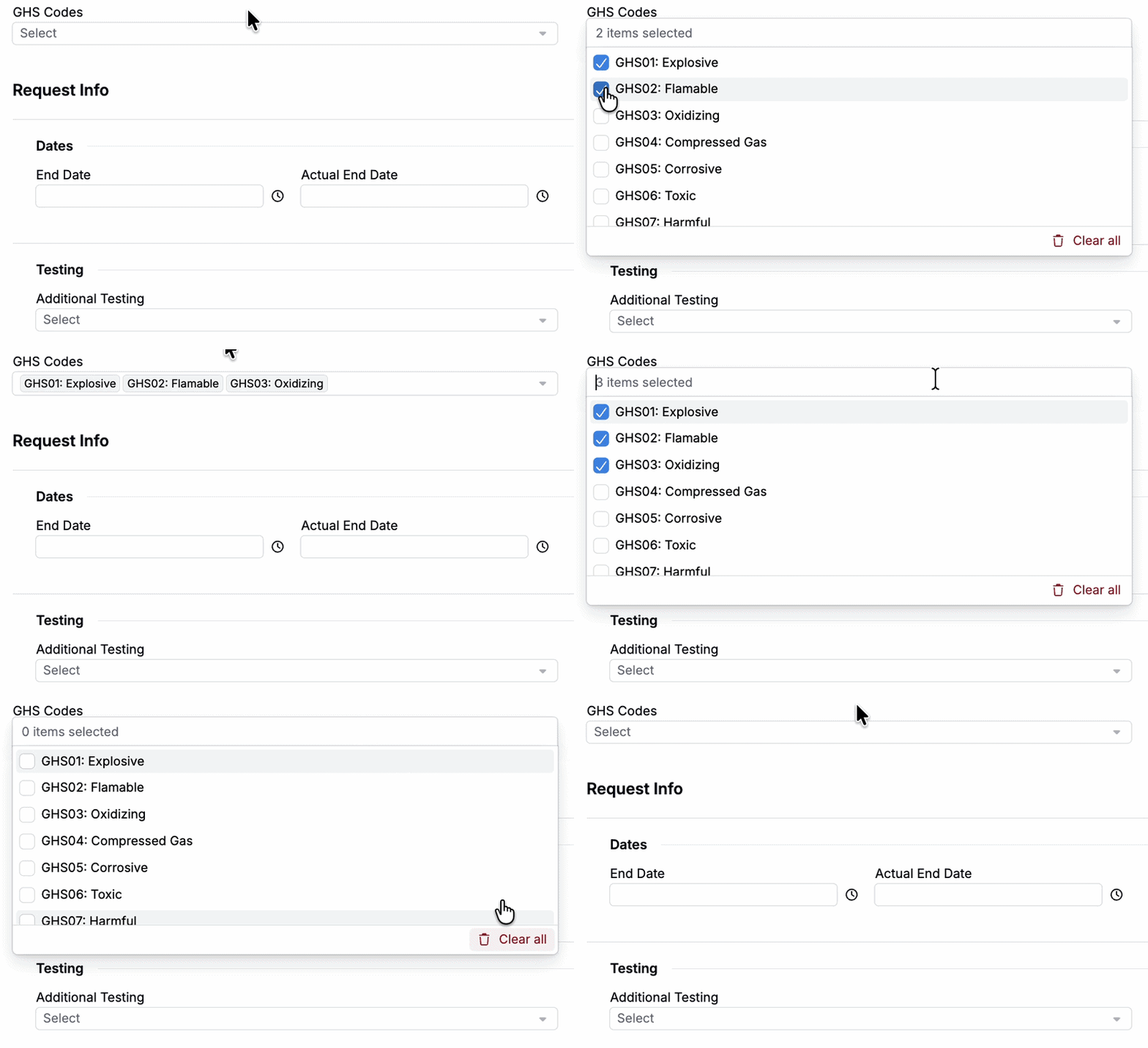
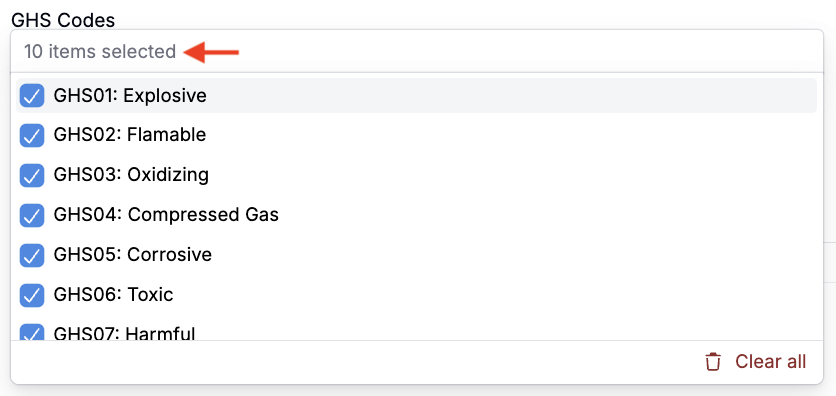
Now: Your selected options stay in the list and are grouped at the top. Check or uncheck boxes to update your choices, or select Clear all to remove everything at once.
When the menu is open, the field shows a summary like “10 items selected.”
When the menu is closed, the field displays all selected values and automatically expands to keep them easy to scan.

Dropdowns are used throughout core workflows, and this update makes selections easier to review, confirm, and edit.
Rollout
This update will begin rolling out on Wednesday, March 25. It applies to all dropdown form fields across the platform. Additional selection menus, such as Quick Filters, will be updated in a future rollout.
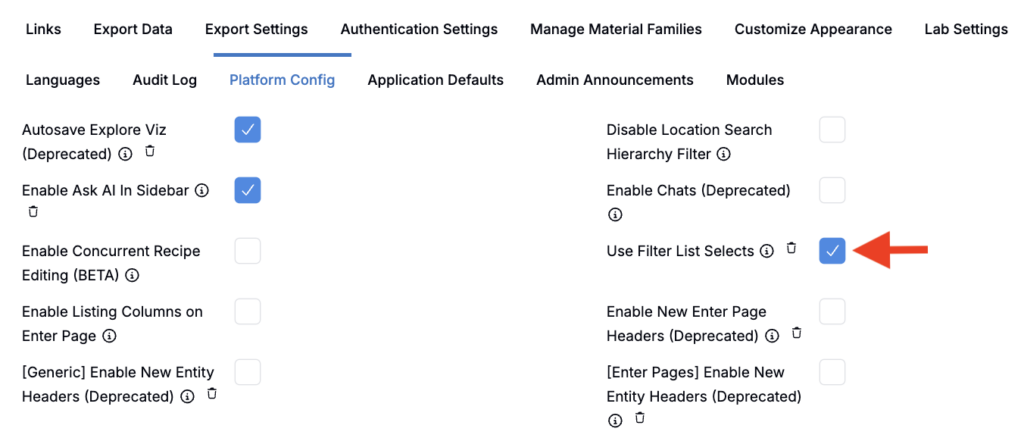
To opt in early or preview the changes, enable Use Filter List Selects within Company-Wide Settings > Platform Config.