
In Uncountable, products can be mapped directly to ingredients. This setup allows experiments to represent specific materials—such as a resin SKU or BOM part number—so they can be reused consistently across projects.
Creating a Product for Ingredient Mapping
To create a product and assign it to an ingredient:
- Create a new project folder for the ingredient.
- From the Select Projects page, click ⚙️ → View Products.
- In the Products modal, click + Add Product.
- In the Project dropdown, select the ingredient (e.g., Resin 1), product folder (e.g., Resins), and confirm.
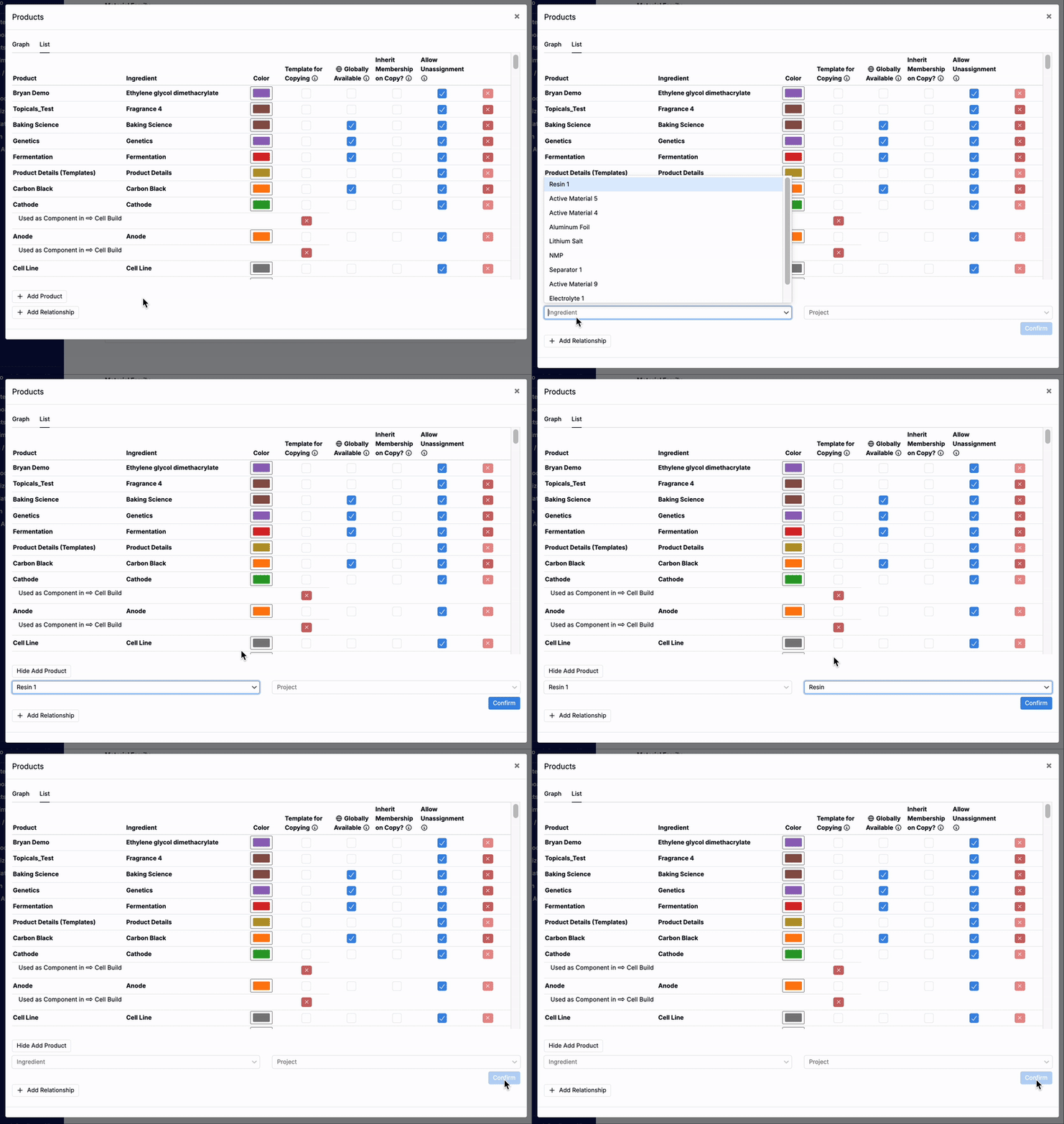
Once created, any experiment assigned to that folder will be linked to the ingredient, making it easy to reuse the same material across projects.