
In Uncountable, user groups establish the foundational access level for inputs, outputs, and experiments. Project permissions layer on top of those group-level settings, allowing additional access to be granted on a per-project basis.
Project Permissions Overview
Project permissions are additive. This means:
- Users can be given more access on specific projects than their user group grants.
- Permissions cannot be restricted below the user group level.
For example:
- A user with Read at the group level can be given Write on a project.
- A user with Write at the group level cannot be downgraded to Read for a specific project.
Project Permissions for New Projects
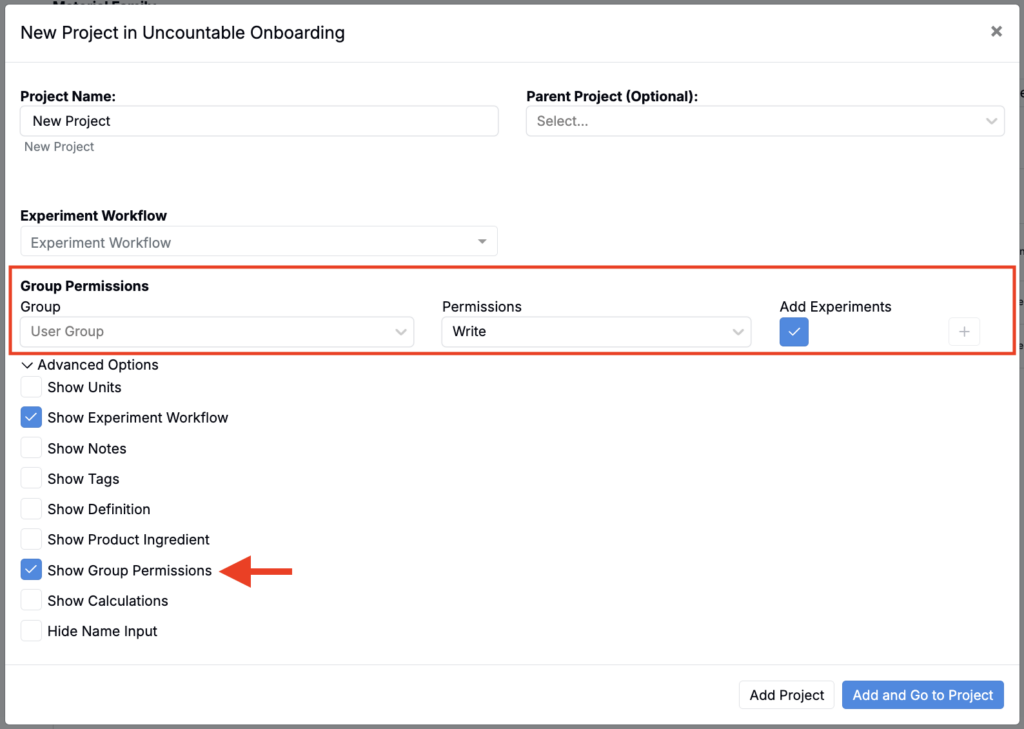
When creating a new project, permissions can be configured directly in the New Project modal.
- Open Advanced Options and toggle Show Group Permissions.
- Choose a user group.
- Assign a permission level:
- Read (Outputs Only)
- Read
- Write (Outputs Only)
- Write Outputs, Read Inputs
- Write
- Decide whether the group can add new experiments.
- Click the + icon to apply the permission.
- Add the project.
Project Permissions for Existing Projects
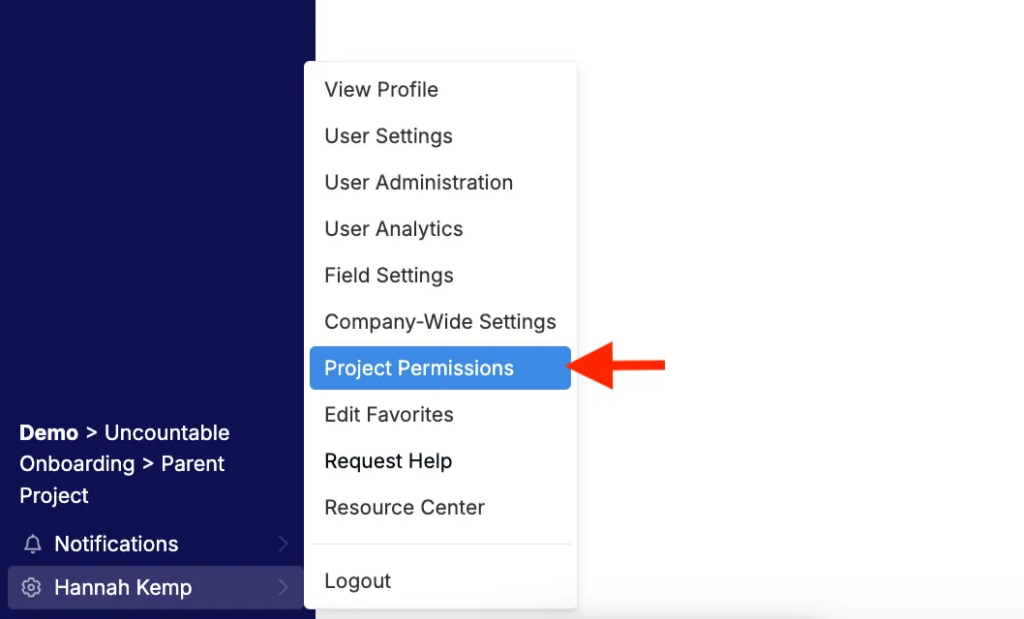
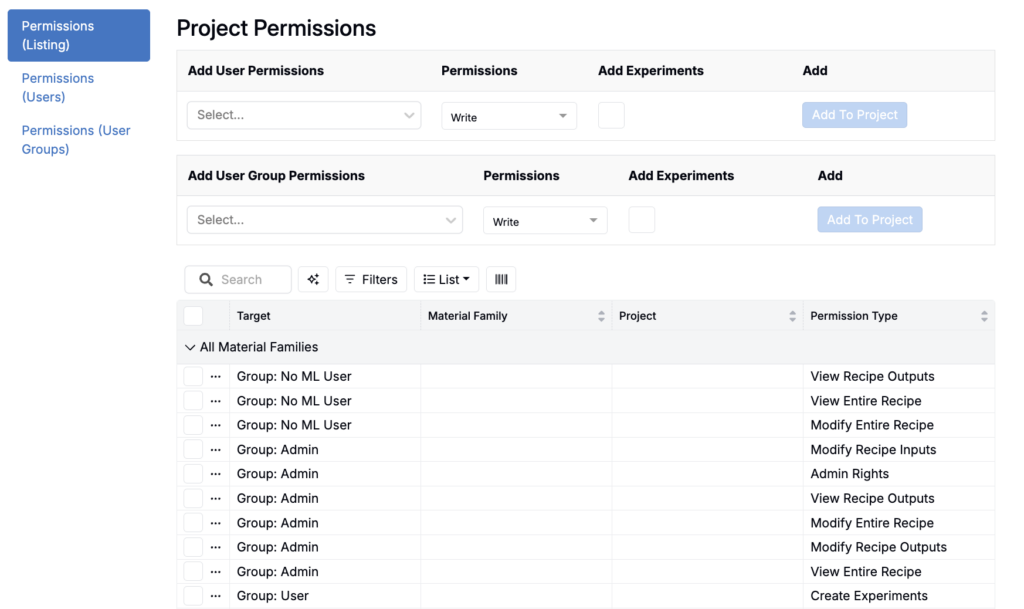
Project permissions for existing projects can be managed from that project’s permissions page. To access the permissions page for the current, active project, click your account name in the navigation bar and select Project Permissions from the menu.
The Project Permissions page contains three tabs:
- Permissions (Listing): Overview of all users and groups with access to this project
- Permissions (User): Manage permissions for individual users
- Permissions (User Groups): Manage permissions for groups
To adjust project permissions:
- Select a user or user group to add permissions for.
- Define their level of access:
- Read (Outputs Only)
- Read
- Write (Outputs Only)
- Write Outputs, Read Inputs
- Write
- Check Add Experiments to allow them to create new experiments.
- Click Add to Project to add the permissions set.
- Repeat these steps for additional users or groups.
Child Project Permissions
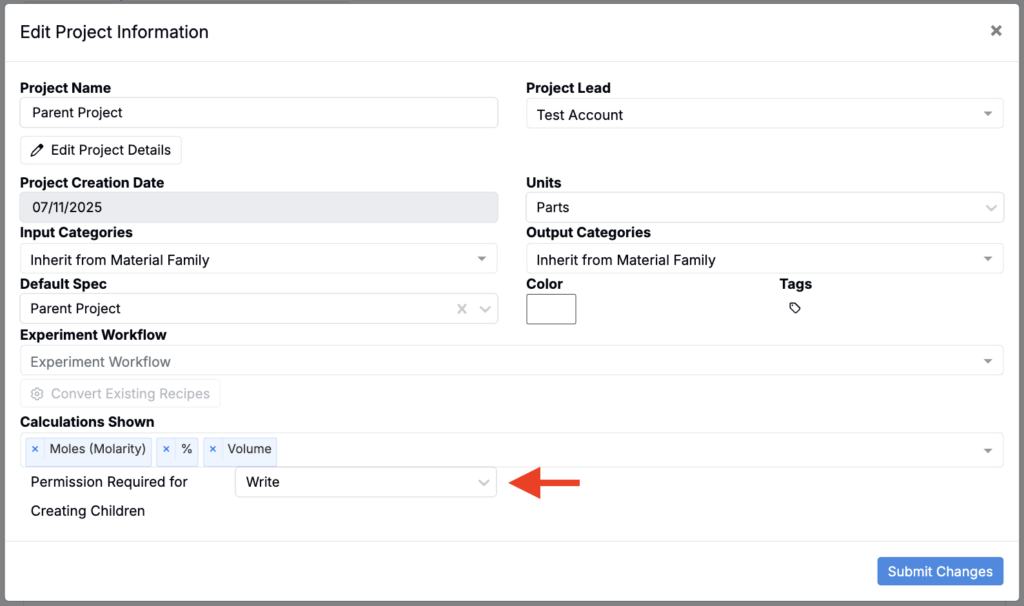
Creating a child project requires Write or Read access. This permissions requirement is set in the Edit Project Information modal of the parent project.
Child projects inherit the permissions of their parent project at the moment they are created. This ensures that anyone with access to the parent project automatically has the same level of access to the new child.
After creation, permissions between the two become independent—changes made to the parent no longer cascade down. From that point on, child project access can be managed separately through its own Project Permissions page.