In Uncountable, products can be designated as product templates, making it easy to copy existing recipes into new experiments. Templates can include recipes, measurements, column configurations, test samples, notebooks, specs, and more—giving teams a complete starting point.
This approach is especially valuable for companies that frequently tweak existing formulas or manage large libraries of historical recipes.
Assigning a Product as a Template for Copying
By default, products are not treated as copyable templates—you must explicitly enable them.
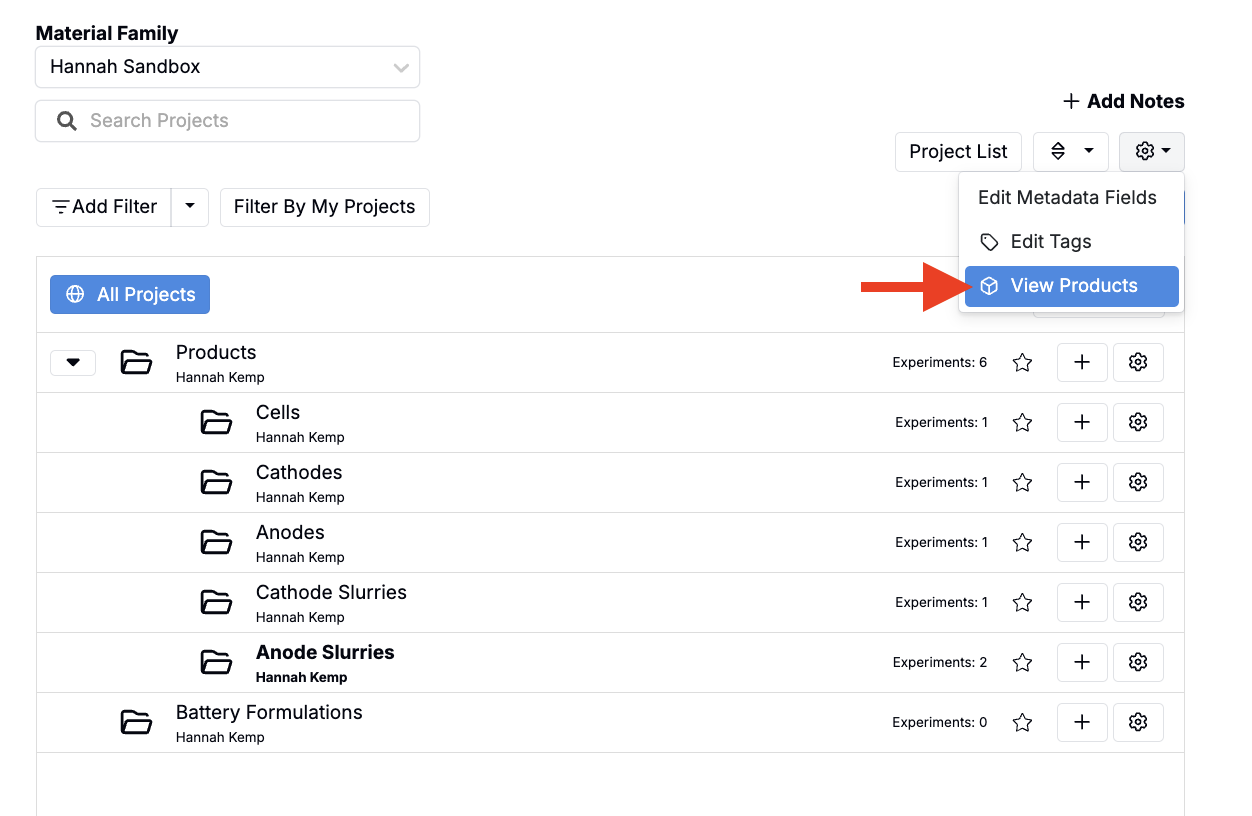
- From the Select Projects page, open ⚙️ → View Products to view all products in the schema.
- In the modal, check the box in the Template for Copying column for the desired product.
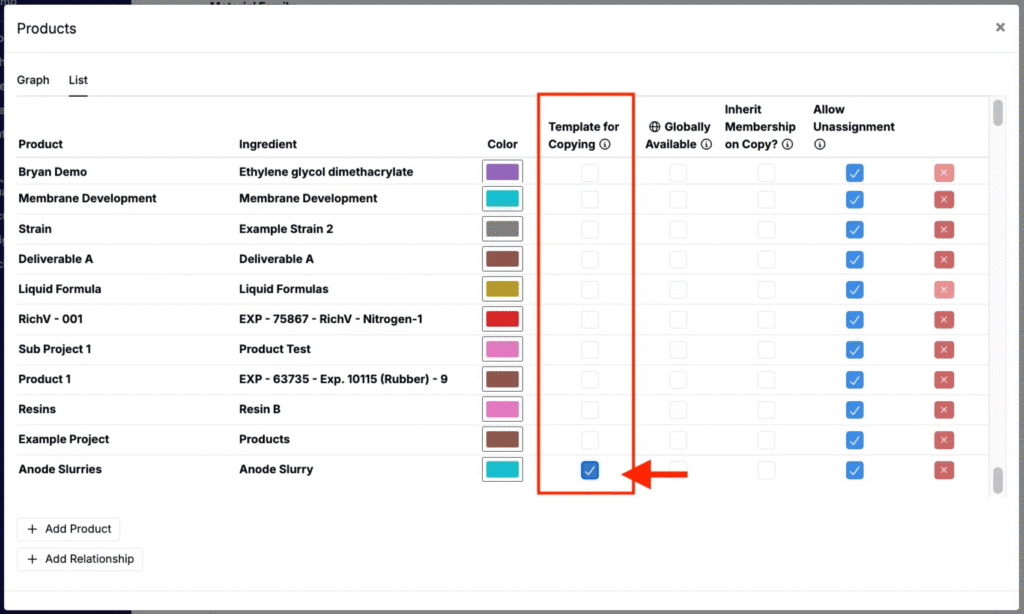
Once enabled, any experiment assigned to that product will appear as an option when creating new experiments.
Creating New Recipes from Product Templates
To generate a new recipe using a product template:
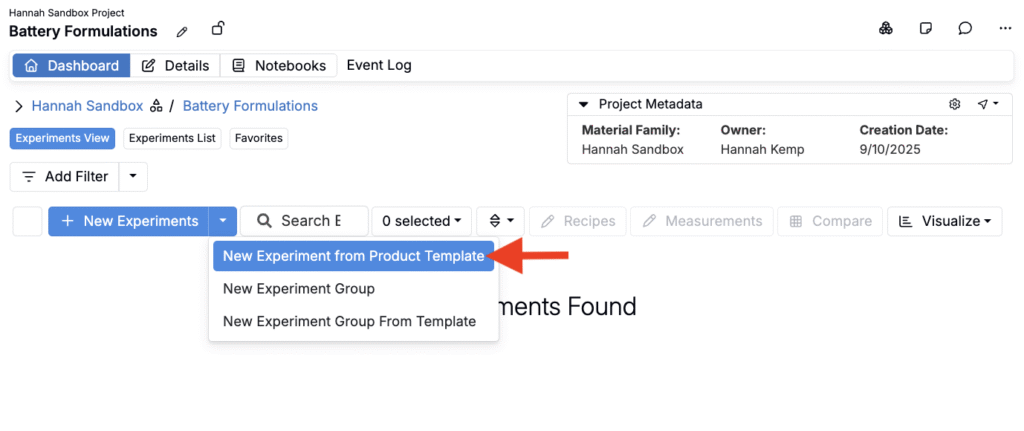
- From the project dashboard, open the New Experiment button menu.
- Select New Experiment from Product Template.
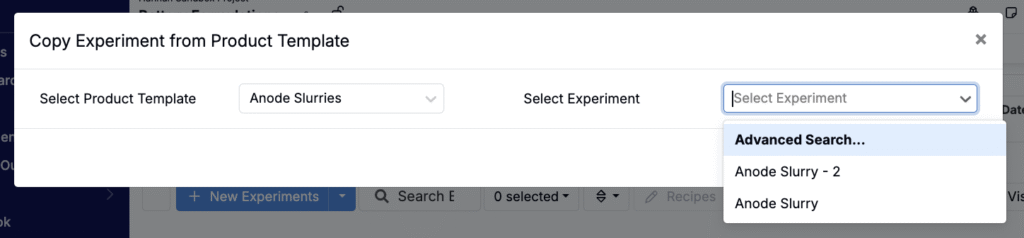
- In the modal:
- Choose a Product Template (e.g., Anode Slurries).
- Select the specific experiment to copy. All experiments assigned to that product will appear in the dropdown.
- Confirm which details to copy, then click Confirm to create the new experiment.