
Recipe output fields are a new type of field, introduced in an effort to transition away from the previous output metadata system.
Output fields let users store key details directly on individual measurement values recorded for a recipe or sample. Once added to a definition, these fields can be used to capture essential background information, such as:
- Test time and date
- Humidity
- Operator details
- Equipment serial numbers
Note: Output fields are not to be confused with condition parameters, which are also stored on outputs. While condition parameters are controlled variables in a test, output fields provide additional context about how the measurements were obtained.

Benefits of Output Fields
To use output fields, add them directly to the Recipe Output definition on the Form Admin page.
- Better Integration: While output metadata is managed separately in the Metadata tab of the Outputs page, output fields are managed directly on the Recipe Output definition itself.
- Filtering and Visualizations: Output fields can now also be used in filtering and visualizations.
- Triggers: Output fields can be associated with triggers, enabling users to automate calculations based on the values in the fields.
Adding Output Fields to Measurements
To use output fields, add them directly to the Recipe Output definition on the Form Admin page.
- Navigate to the Definitions tab of the Form Admin.
- Access the “Recipe Output” definition.
- Within the Fields tab, create new fields (A) or add existing ones (B). Fields can be single select, dropdown, numeric, or categorical.

Assigning Output Field Values to an Experiment Measurement
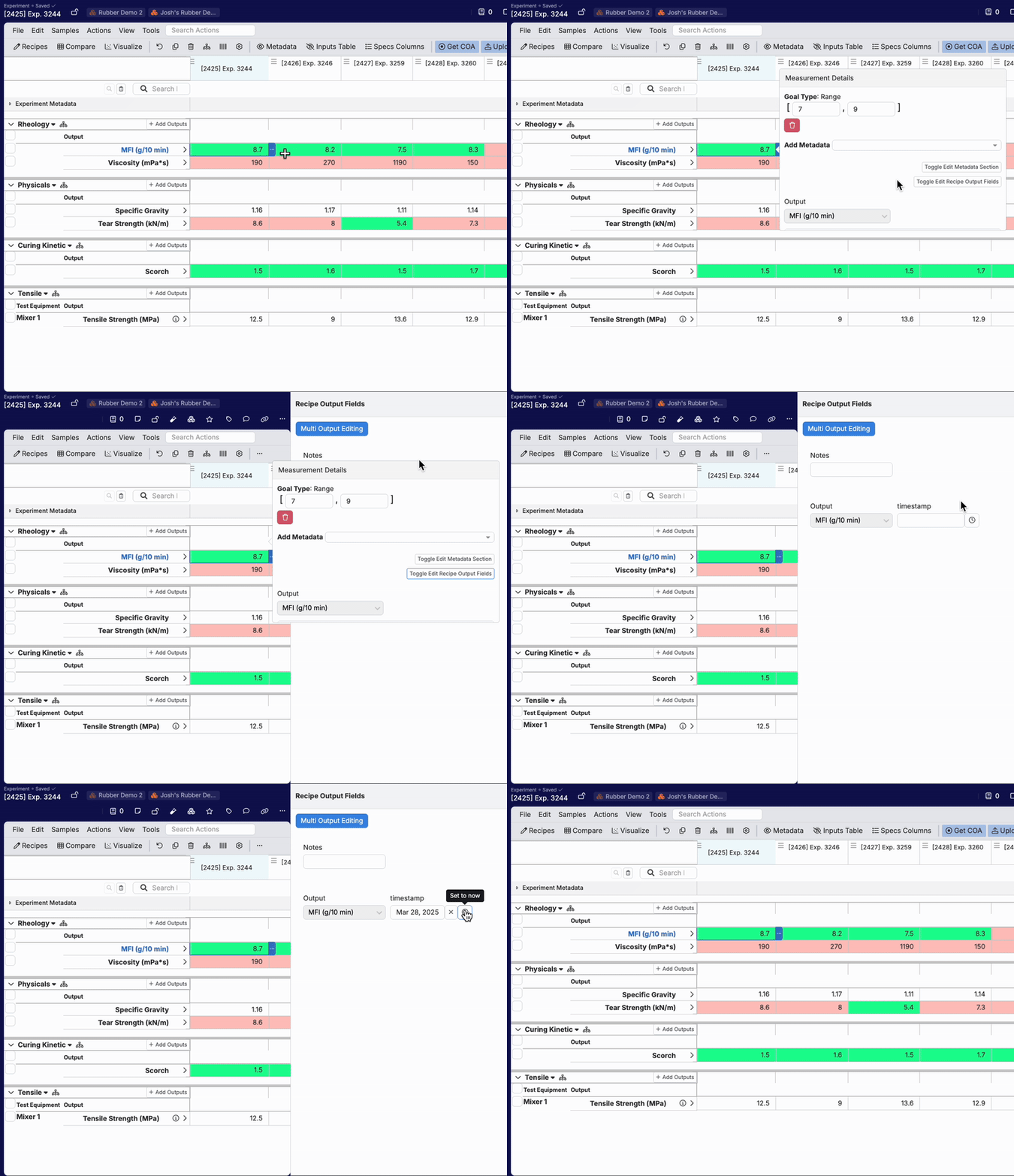
Once added fields to the Recipe Output definition, you can edit output field values for measurements directly on the Enter Measurements page.
- Access the Enter Measurements page.
- Click on an individual measurement cell.
- Select the blue “…” to view Measurement Details.
- In the popover, select the Edit Toggle Recipe Output Fields.
- In the Recipe Output Fields sidepanel, users will be able to edit and assign values for all output fields added on the definition.
To learn more, refer to: