Input group placeholders let users build workflows with empty “slots” for input groups in specific steps. Instead of automatically placing all inputs from a group into the first step of a workflow, placeholders allow you to decide exactly where those inputs should appear.
Placeholders are especially helpful when designing workflow variants or test methods (test sample templates), where you want to reuse the same workflow structure but swap in different input groups as needed.
Example Use Case
One example use case is formulating multi-layer panels with layers such as Substrate → Primer → Top Coat.
Instead of maintaining separate templates for every possible combination, you can create a single template with input group placeholders in each step, letting users choose the right group for each step during creation.

Creating Workflow Variants with Placeholders
To create a workflow variant with placeholders, take the following steps:
Step 1: Create or Review Input Groups
- Ensure the relevant input groups are set up.
Step 2: Add Placeholders to a Template Experiment
- Create a template experiment using the appropriate workflow (e.g. 3 Step Coating).
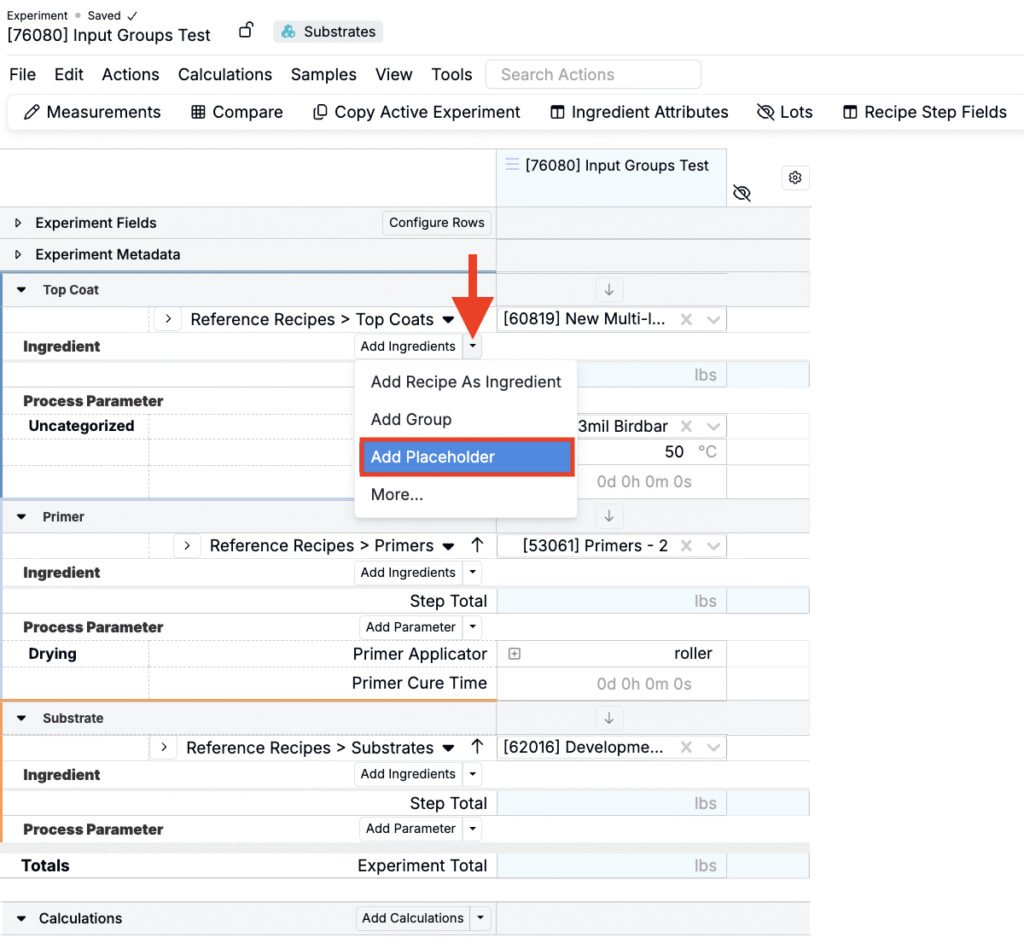
- Within the each relevant workflow step, access the Add Ingredients button menu and select Add Placeholder.
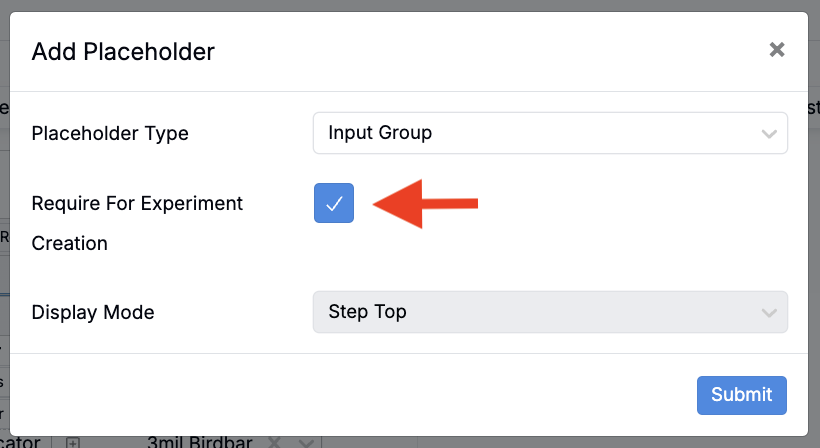
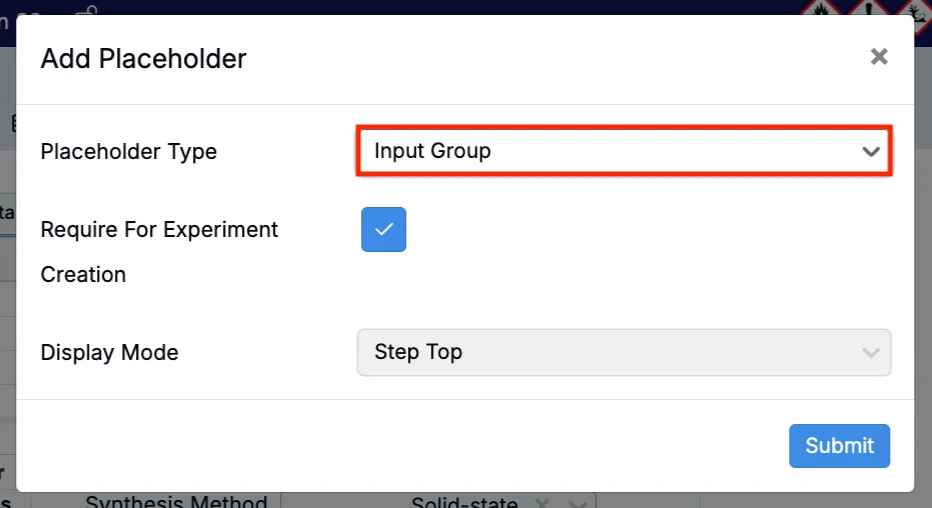
- In the modal, set Placeholder Type to Input Group and submit.
- To require input group selection when creating a new experiment, you can also enable Require for Experiment Creation.
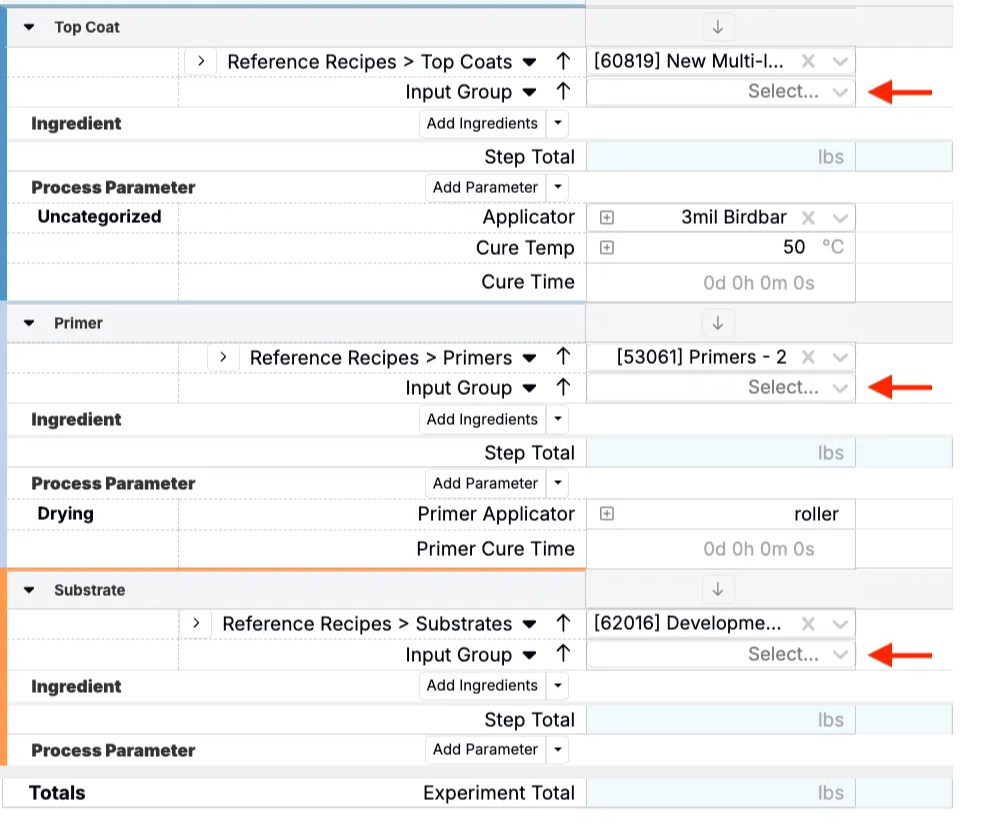
- Input group placeholders will appear at the top of each configured workflow step.
Step 3: Create a Workflow Variant
- Once the template experiment is complete, navigate to the Workflows page.
- Select the appropriate workflow (e.g. 3 Step Coating) and create a new variant.
- Associate the new variant with the template experiment.

Creating Test Methods with Placeholders
To create a test method with input group placeholders, first set up a variant following the steps described above. Then, you can:
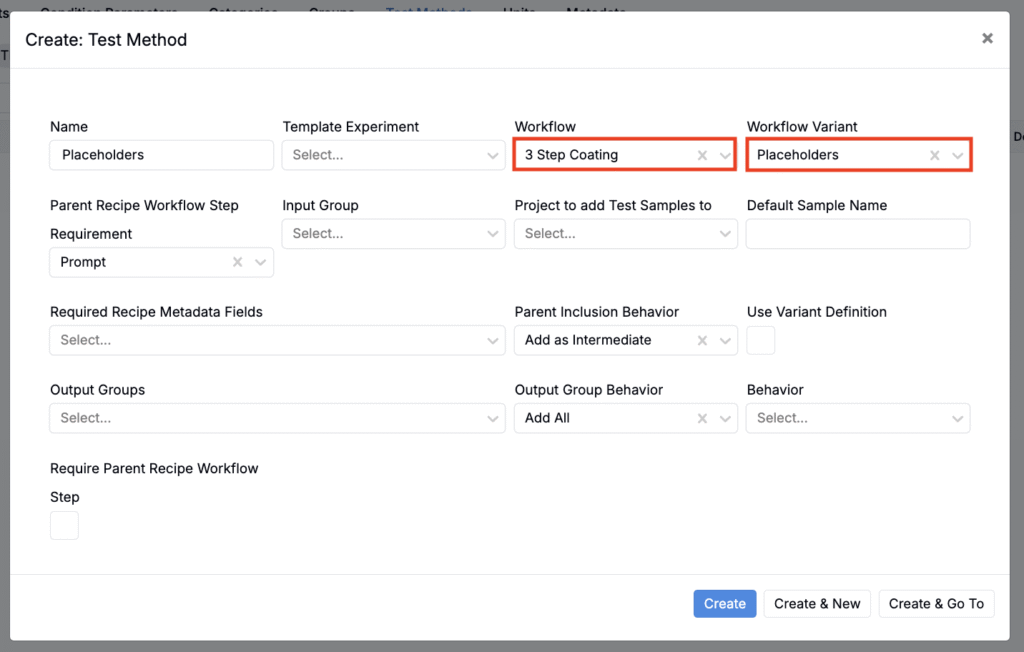
- Navigate to the Test Methods listing page (Inputs/Outputs > Outputs > Test Methods).
- Create a new test method using the correct workflow and variant.
Creating New Recipes and Test Samples
After you configure a variant or test method with input group placeholders, you can use them to create new experiments and test samples.
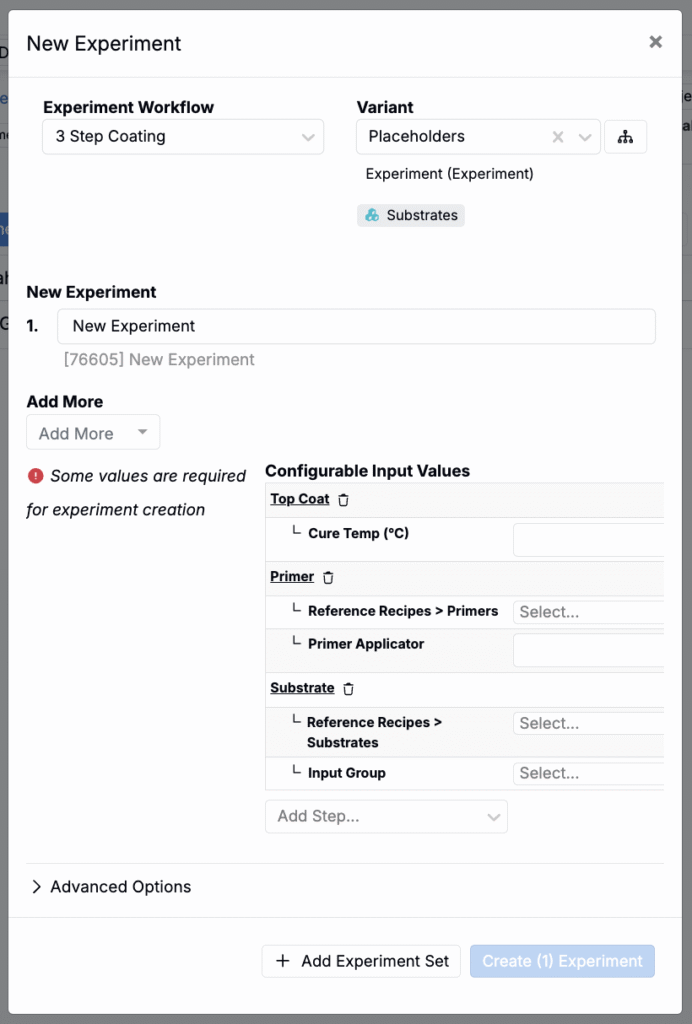
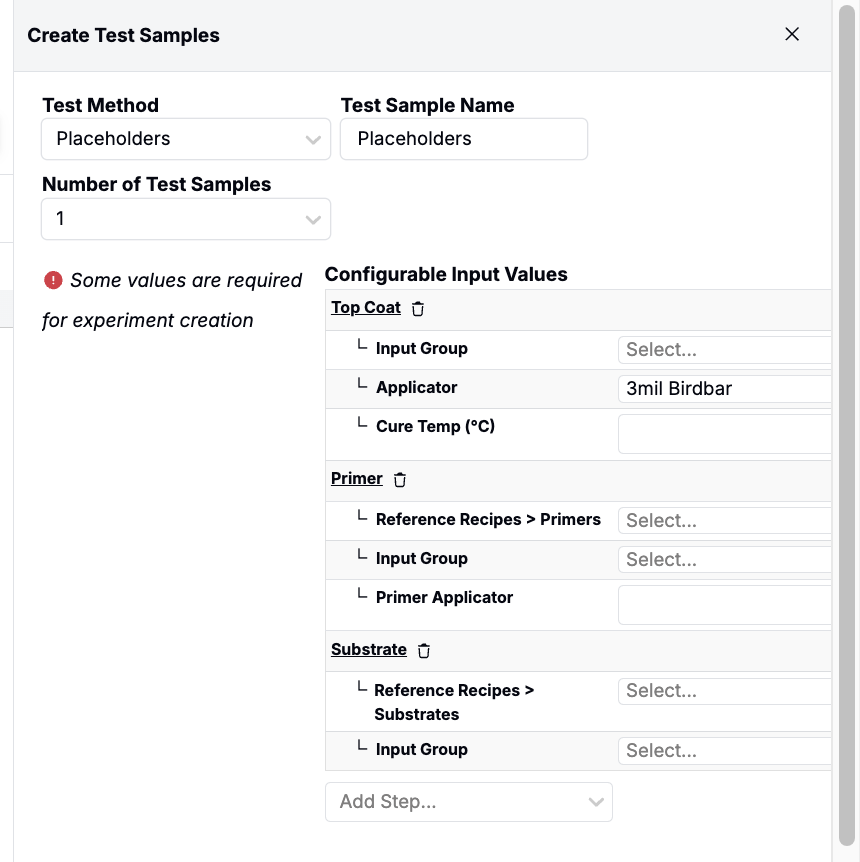
- If “Require for Experiment Creation” is enabled, the New Experiment modal or Test Sample sidepanel will prompt users to select an input group for each placeholder before the experiment or test sample is created.
- If this setting is not enabled, placeholders are left unfilled during creation, and users must assign input groups manually afterward.