
Unarchiving a recipe in the Uncountable platform restores previously archived recipes, making them available for use again. This functionality is only available for Global Admins and can be accessed through Company-Wide Settings.
Instructions
To unarchive a recipe, global admins can:
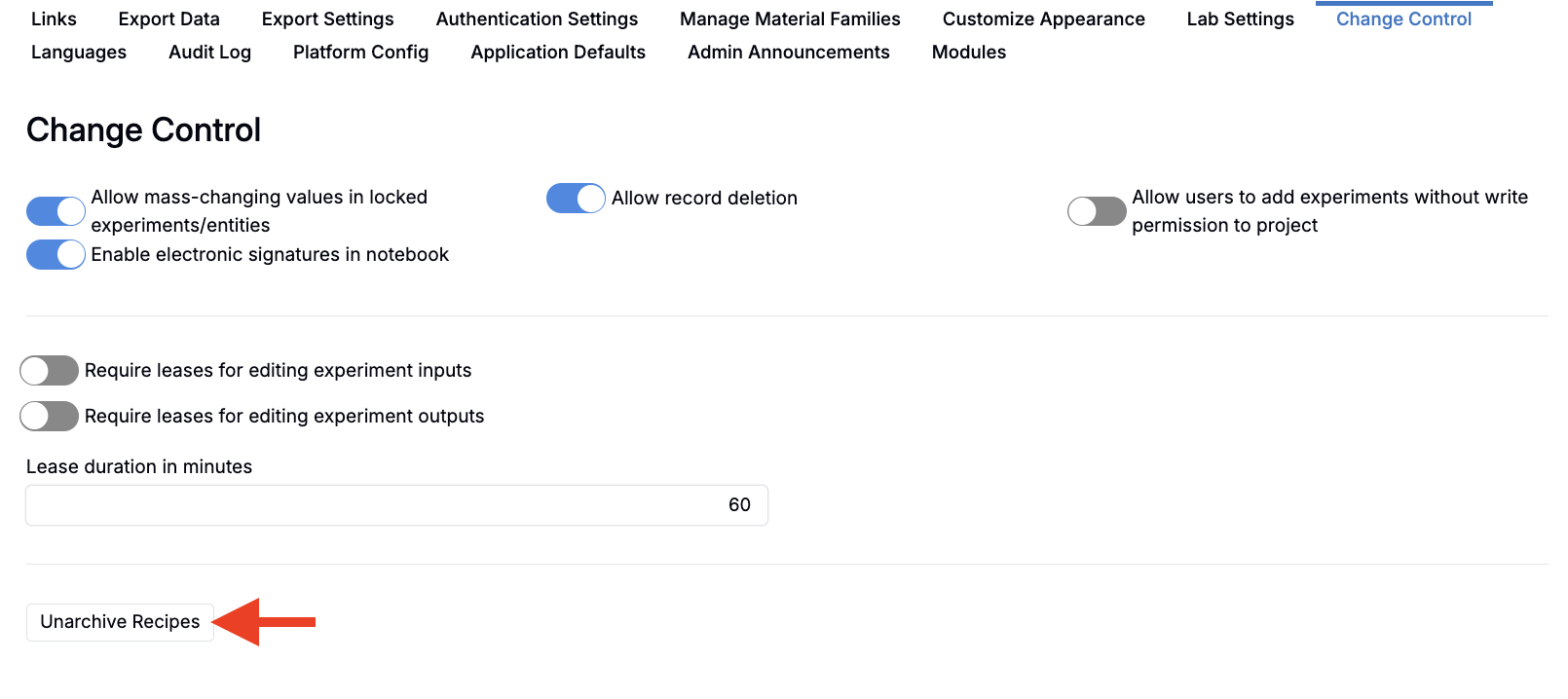
- Access the Change Control tab of the Company-Wide Settings Page.
- At the bottom of the page, click the Unarchive Recipes button.
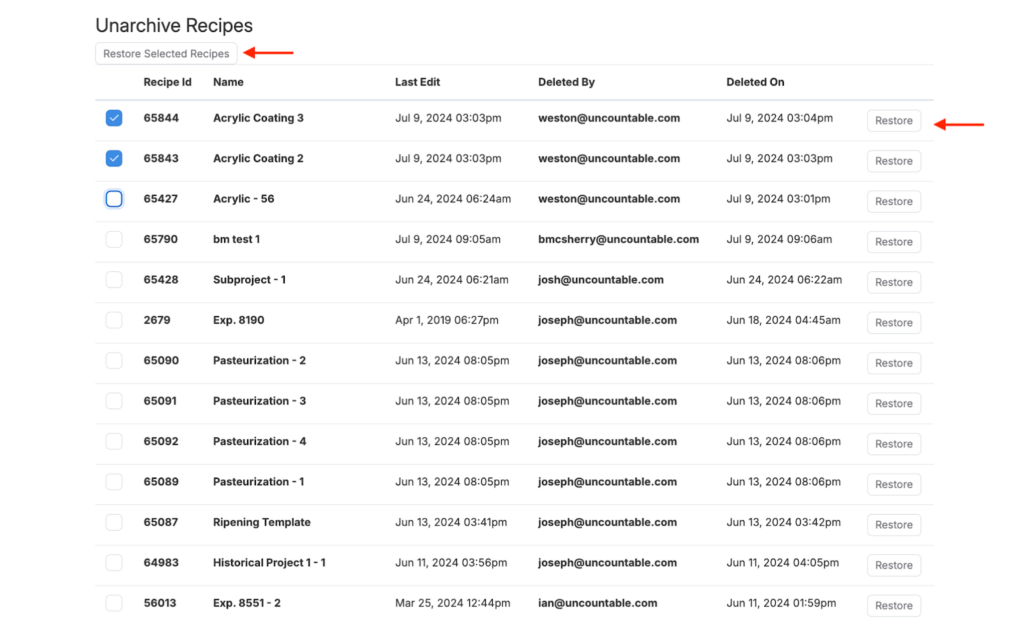
- Review archived recipes listing page. This listing contains the following information:
- Recipe ID
- Recipe name
- Date of last edit
- Date archived
- User who archived the recipe
- Restore recipes. You have two options:
- Bulk restore — Select multiple recipes using the checkboxes, then click Restore Selected Recipes
- Individual restore — Click the Restore button next to any individual recipe
After Unarchiving
Once restored, the recipe will:
- Appear in standard recipe listings and searches
- Be available for use in new experiments
- Retain all its original data and configuration
Need Help?
If you encounter any issues or need further assistance, please contact your Uncountable representative.