
Uncountable’s data summary tool uses Gen AI to search, summarize, and visualize your project’s experimental data so new or returning collaborators can quickly understand what’s been done and what matters.
This tool helps you compare experiments quickly without manual setup, surface meaningful trends that guide next steps, and reduce ramp‑up time for anyone joining a project.
Note that Gen AI must be enabled in your schema and the Project Data Summary tool must be installed. This tool is not installed by default—contact your Uncountable representative to get started.
How to use
- From a project’s Dashboard (where configured), select Actions > Run Notebook Analysis.
- A side panel opens with a prompt field. Enter a prompt (e.g. “I just started working on this project. Help me understand the experimental data here.”)
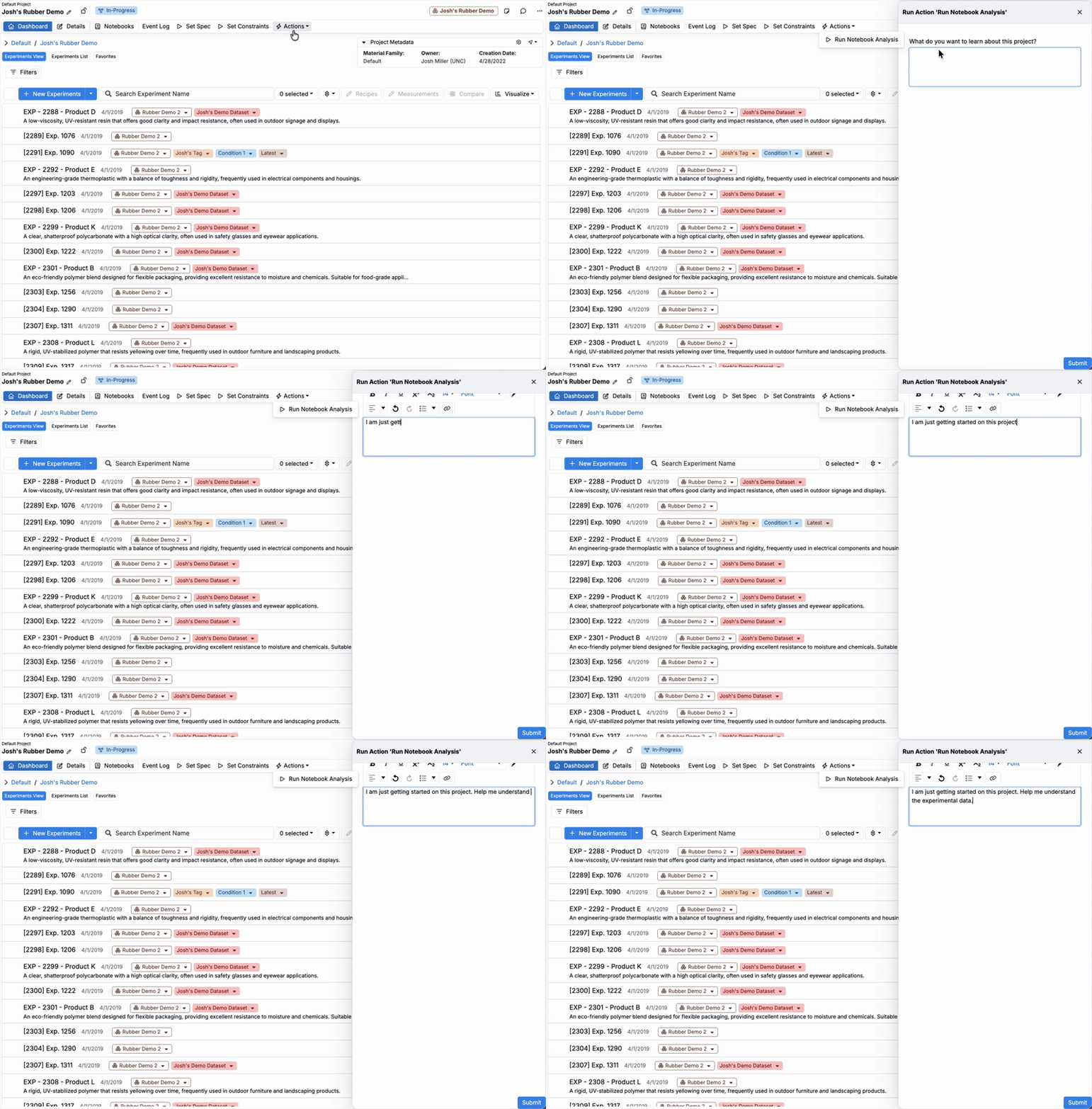
- Click Submit.
The tool generates a new notebook prefilled with a data summary, insights, and visualizations for your project.
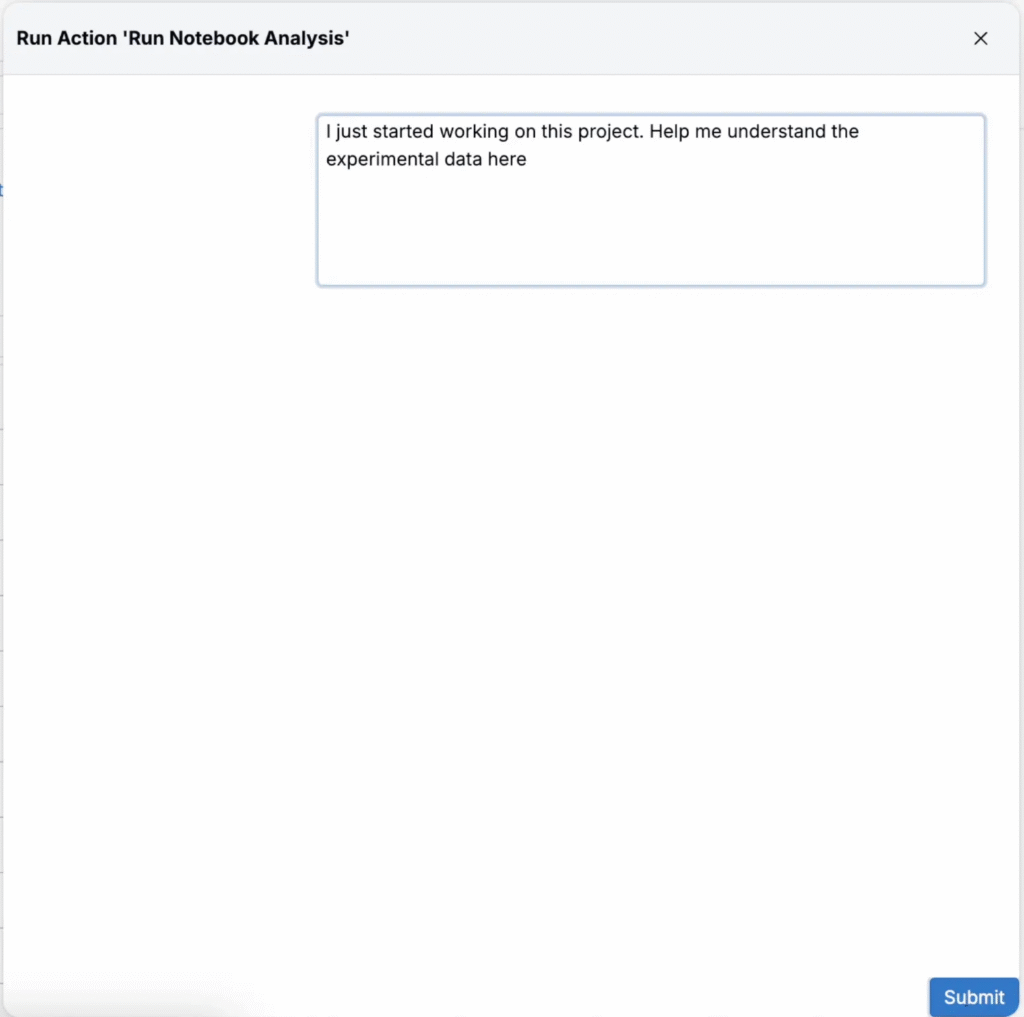
Generated Notebook
Within the notebook, the trigger generates a compact project summary that includes:
- Abstract: One brief section stating the project goal, what data was analyzed, headline signals, and a brief pointer on where to focus next.
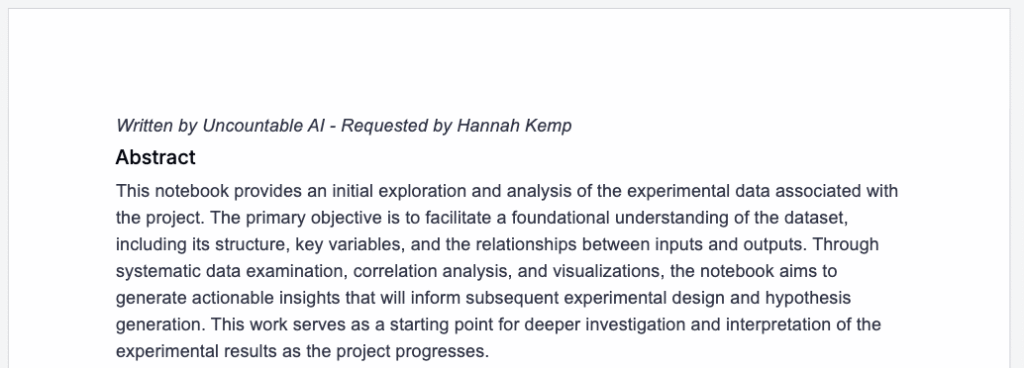
- Data set overview: Expandable listing of the experiments included in the run, with counts and quick stats to verify scope and coverage.
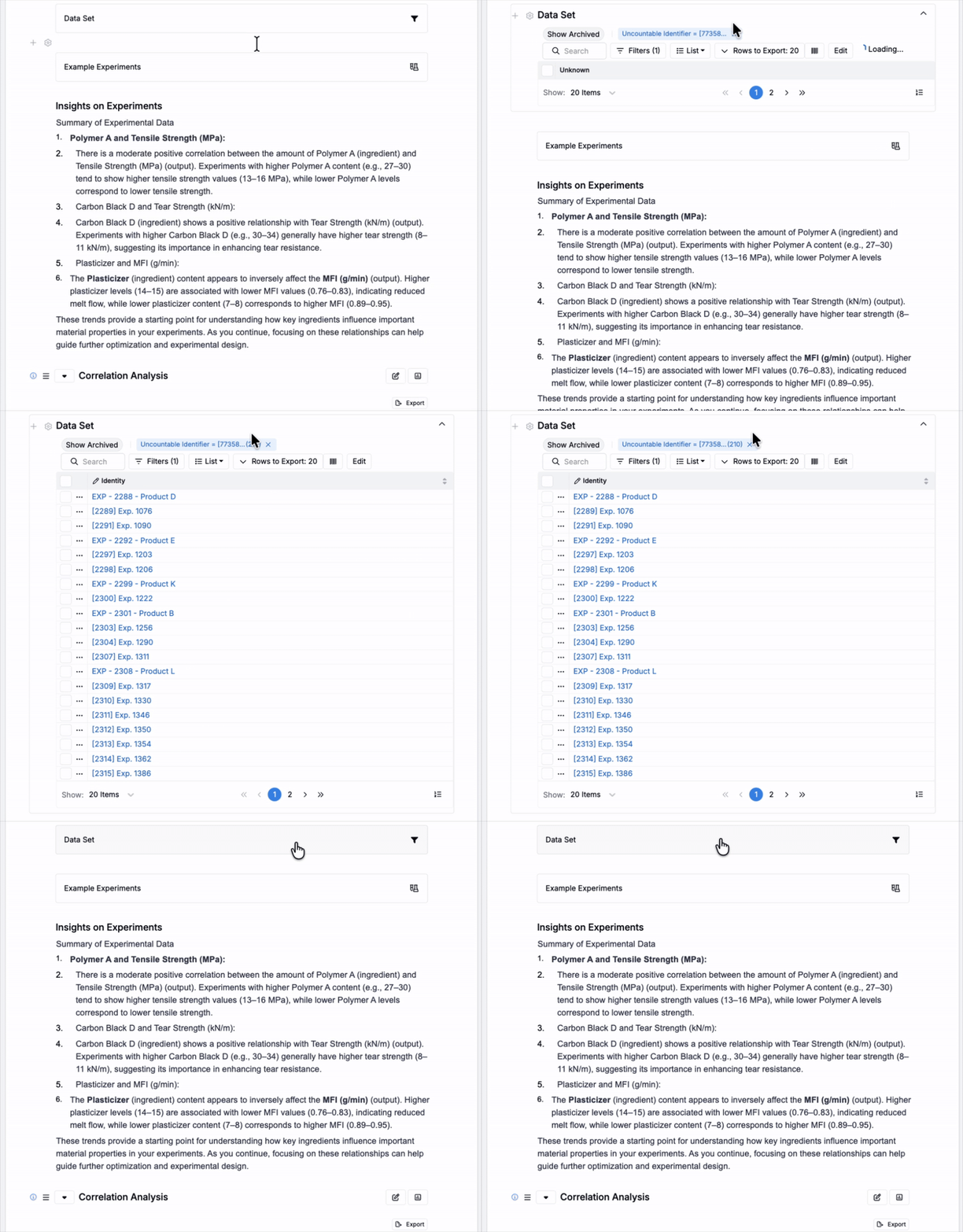
- Example experiments: Expandable table with representative runs showing key inputs, process settings, and target metrics, with links back to the underlying experiments.
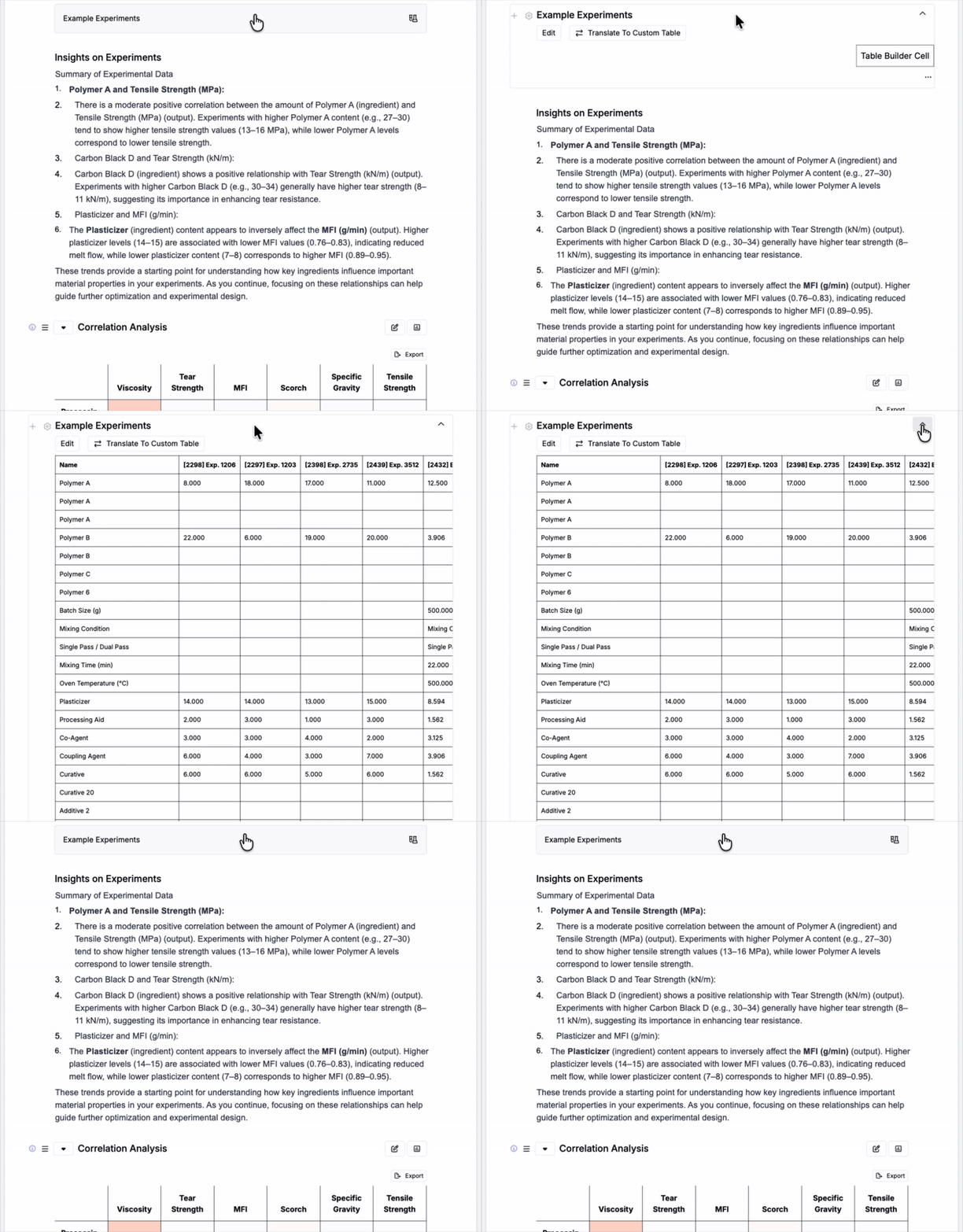
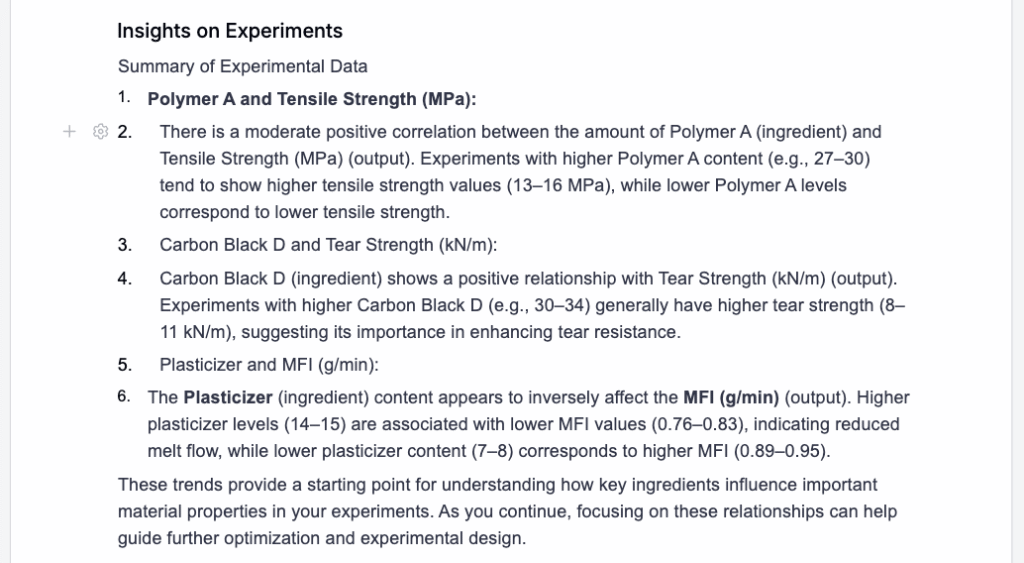
- Plain‑language insights: Short bullets calling out strong relationships, thresholds or regimes, notable clusters or outliers, and variables with minimal effect.
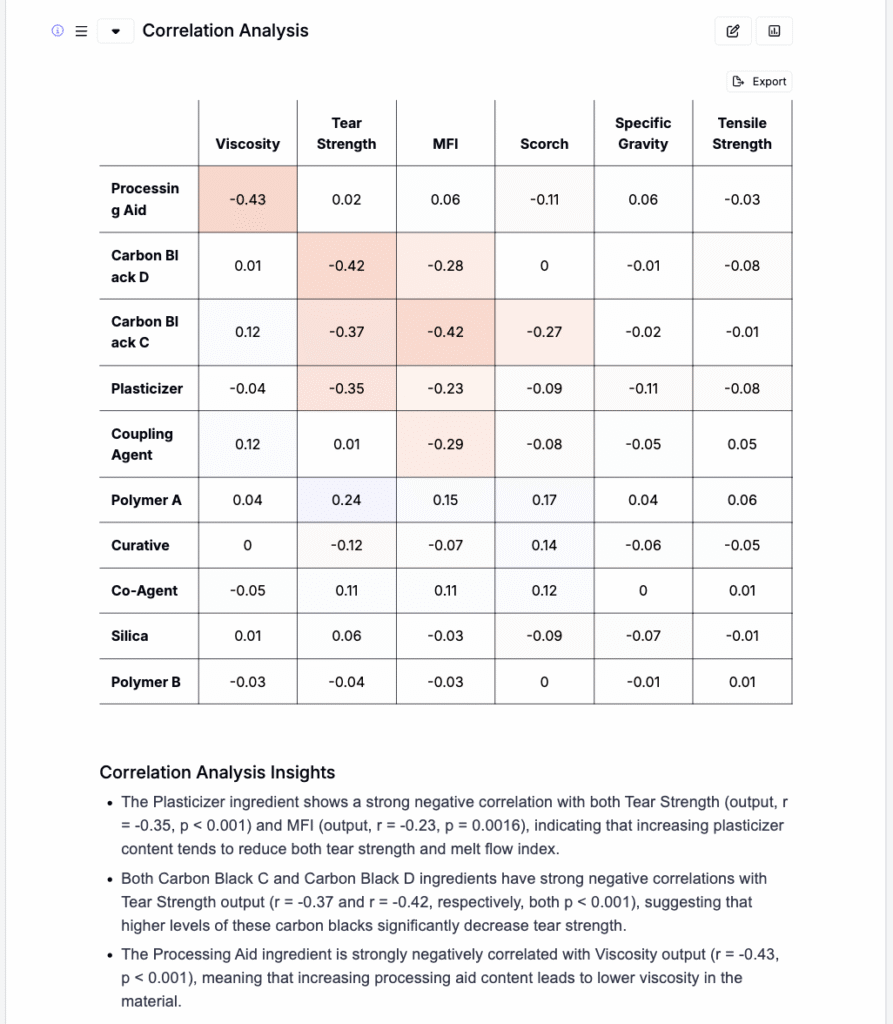
- Correlation matrix: Color‑coded pairwise correlations across inputs, process variables, and performance metrics, with the top positive and negative pairs briefly annotated.
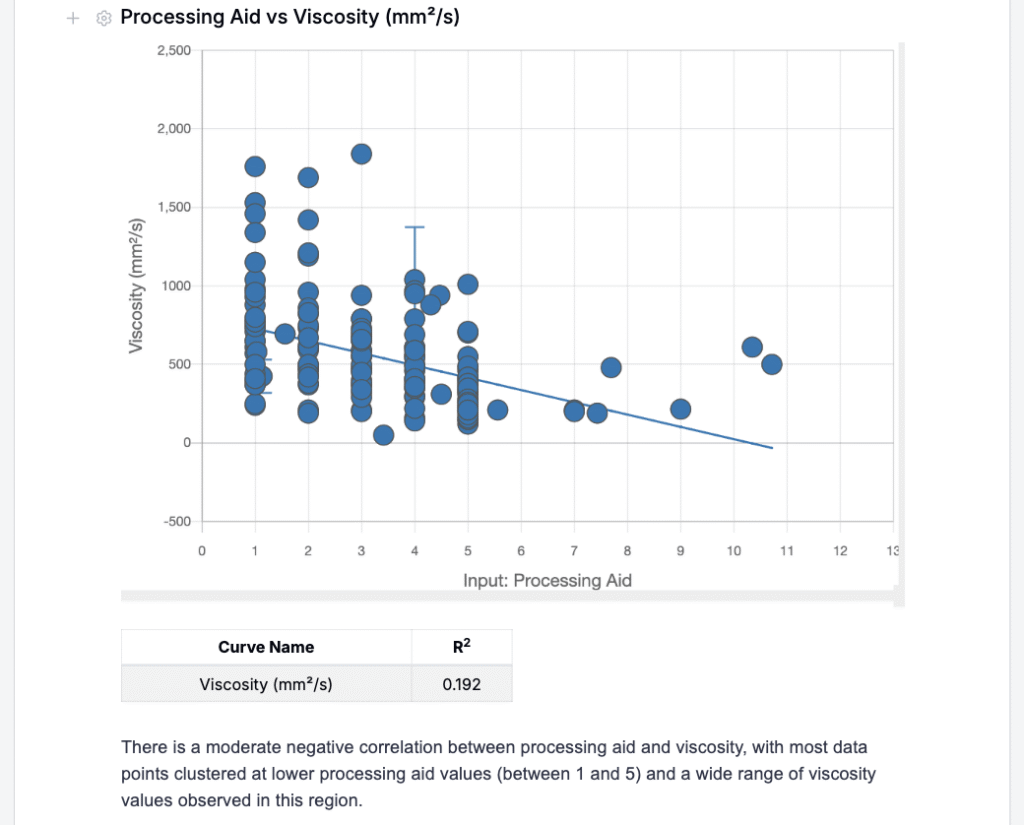
- Explore data visuals: Auto‑generated plots with insights for top relationships and distribution views of key metrics to quickly scan trends and variability.
- Conclusions: A concise wrap‑up of takeaways, limitations or gaps, and suggested next experiments or parameter ranges to explore.
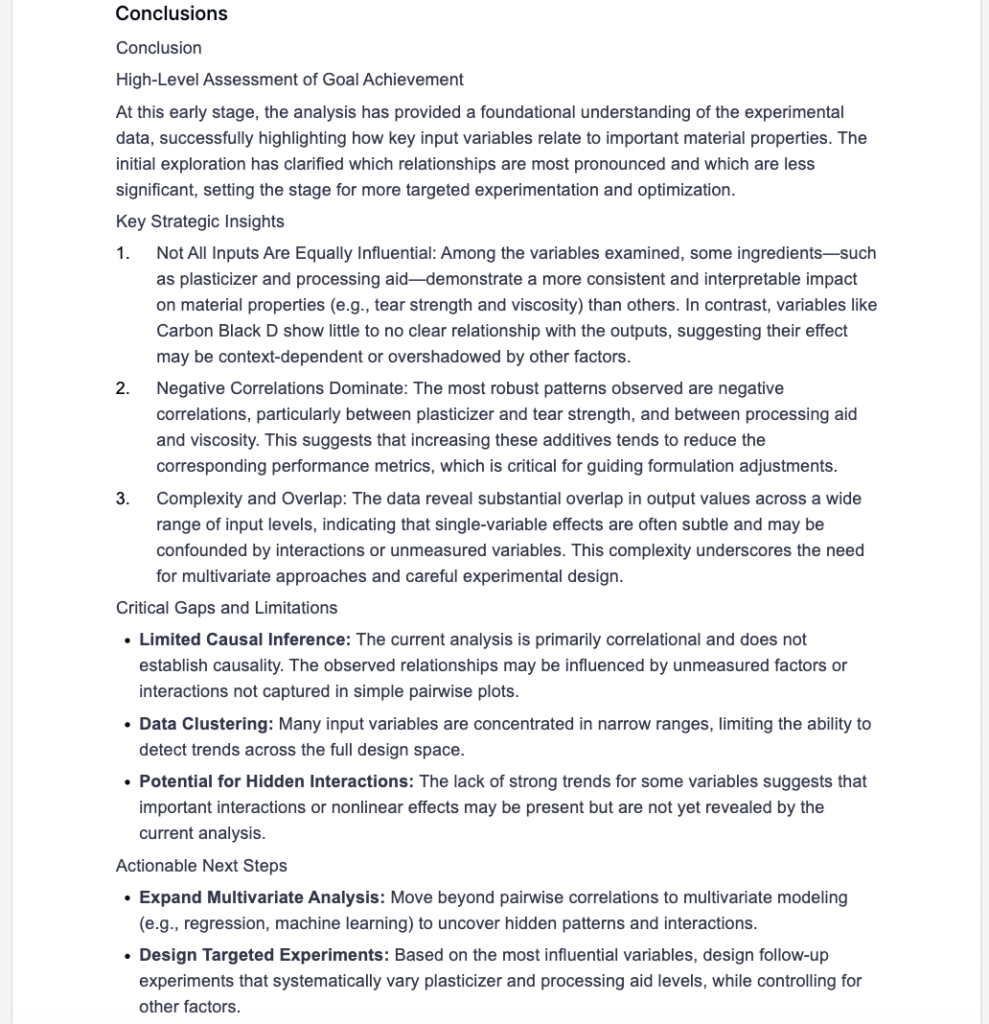
Use the generated notebook to quickly learn what has been attempted, which variables and ingredients drive outcomes, and where gaps or non‑relationships exist. This helps you prioritize next experiments, communicate context to collaborators and stakeholders, and onboard new teammates faster.
Availability
This feature is available only for workspaces with Gen AI enabled in their schema. If you do not see the option, speak to your Uncountable representative to add Gen AI.
Additionally, the Project Data Summary tool must be installed; it is not installed by default. Contact your Uncountable representative to get started.