Labs represent top-level physical facilities or sites in Uncountable. They scope access and context for lab operations like inventory, equipment, lab requests, and scheduling. Inside each Lab, you can define hierarchical inventory locations to organize storage and track where materials are kept.
Key Points
- Labs represent physical locations and exist outside the scope of Material Family permissions.
- Lab-specific permissions, configurable on the User Administration page, are tied to Labs and control who can access data and actions at that physical location.
- Labs are the container for inventory and equipment at a site level.
- Inventory locations live inside a Lab and can be nested as Building → Room → Cabinet → Shelf.
- Many listings and filters include a Lab field so teams can view or restrict data by site.
Creating a New Lab
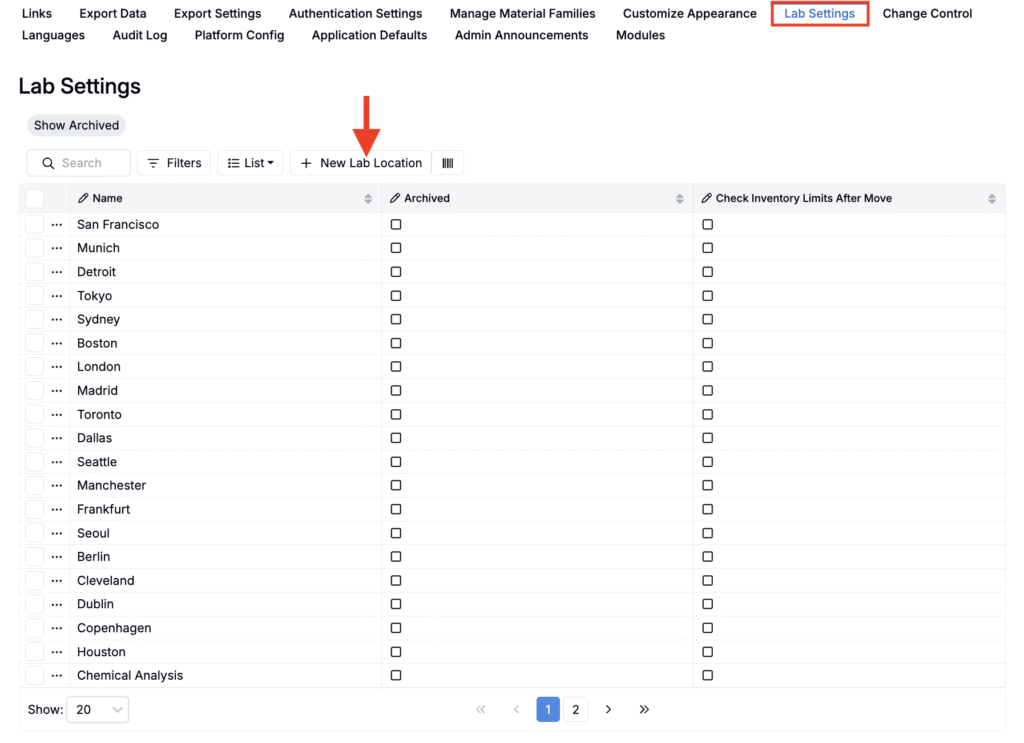
Admins create and manage Labs from the Company-Wide Settings page.
- Access the Lab Settings tab of the Company-Wide Settings page.
- On the listing, click + New Lab Location.
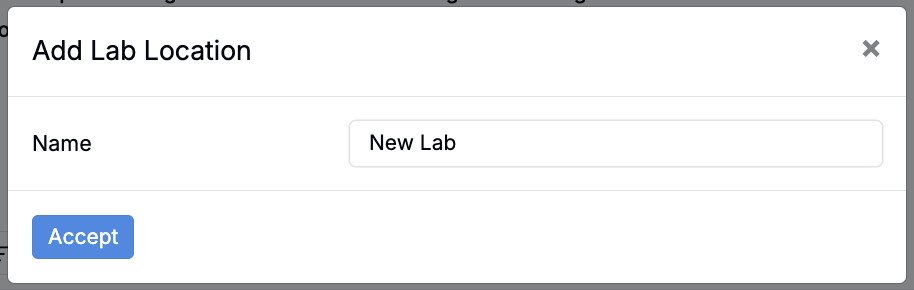
- In the modal, add a Lab Location Name and click Accept.