
Inventory locations are the hierarchical places within a Lab where inventory is stored and tracked, for example Building → Room → Cabinet → Shelf.
Each inventory location belongs to a specific Lab. Locations make it easy to find materials, verify availability when planning work, and keep accurate audit trails of movement and usage.
Creating New Inventory Locations
New inventory locations can be added by taking the following steps:
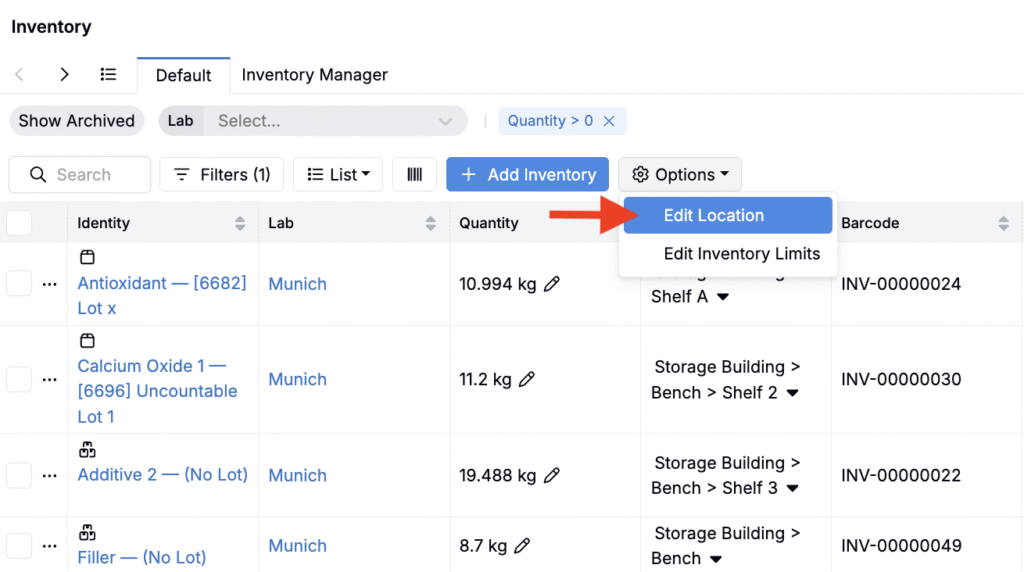
- Access the Inventory Listing page (Lab > Inventory).
- Click Options > Edit Locations.
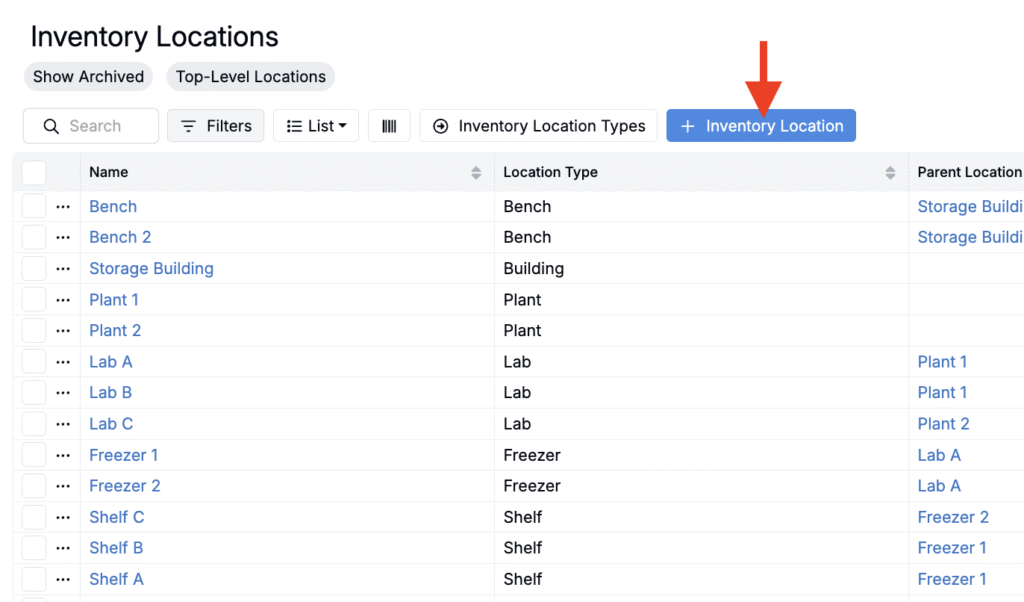
- On the Inventory Locations listing page, click the blue + Inventory Location button.
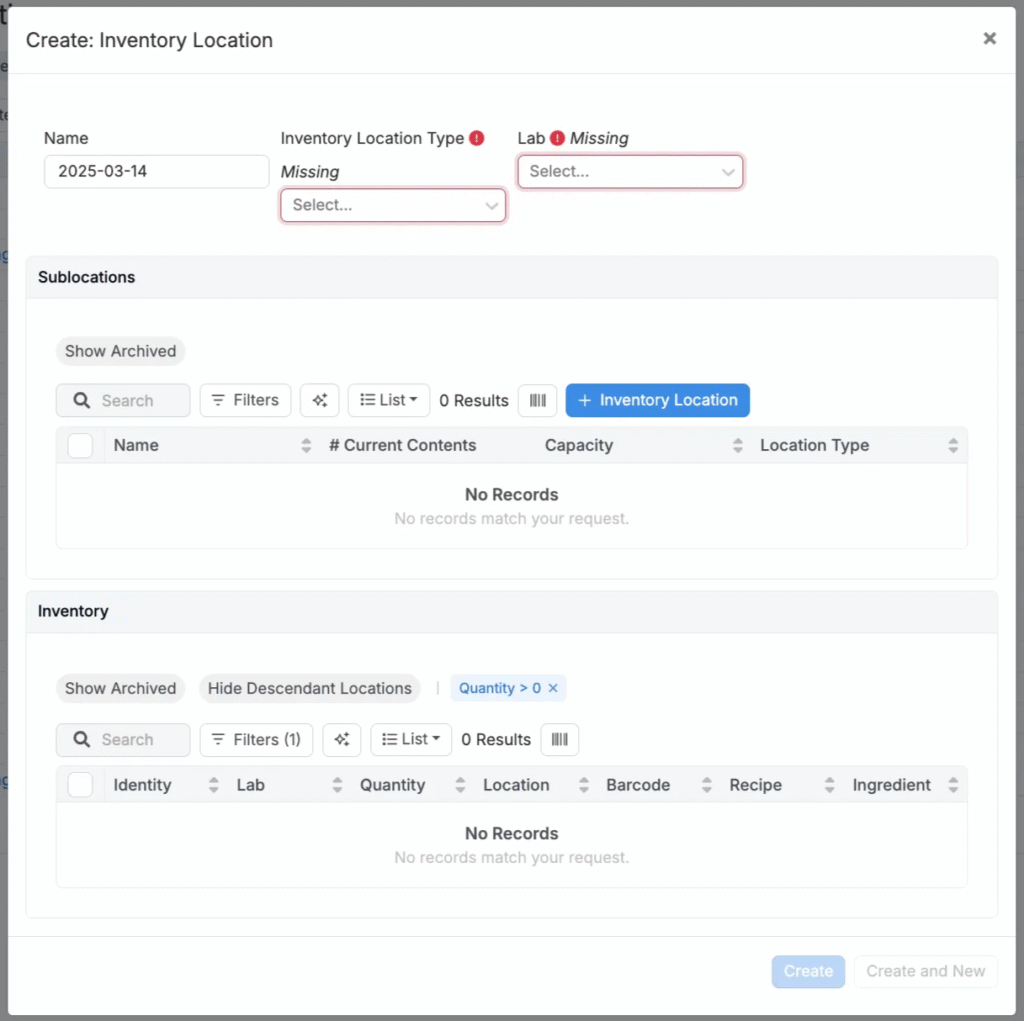
- Configure all required fields in the modal and submit.
Bulk Importing or Updating Inventory Locations
You can also create or update many locations at once with the Inventory Location Importer. To learn more, refer to Importing Inventory Locations.