
In R&D, especially in complex synthesis and process workflows, precise control and documentation of each step are crucial for success and reproducibility. Uncountable’s recipe step fields (previously called step attributes) help by letting you record step-specific parameters and notes directly on the Recipe view of experiments with mix order enabled.
Recipe step fields are useful both for notes and observations and structured data capture (values you can later filter, analyze, and in some cases use in calculations)
What are recipe step fields?
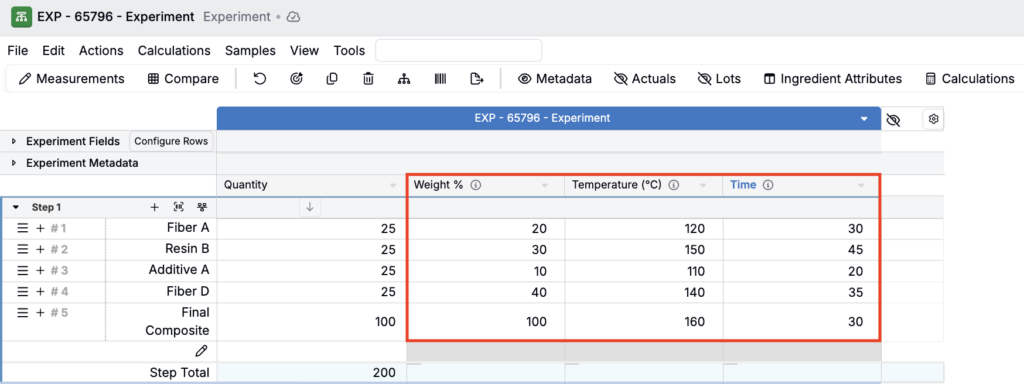
Recipe step fields are columns attached to individual mix steps on the Recipe page. They can represent parameters recorded per step (weight %, temperature, time, RPM, PSI) or notes/observations (texture, color change, deviations, issues).
Capturing these details at the step level makes it easier to reproduce work accurately, compare multiple recipes without losing step context, and avoid ambiguity about where a value should be recorded (e.g. when a field is only relevant for some steps).
How to use recipe step fields
Consider this simple mix step example below.
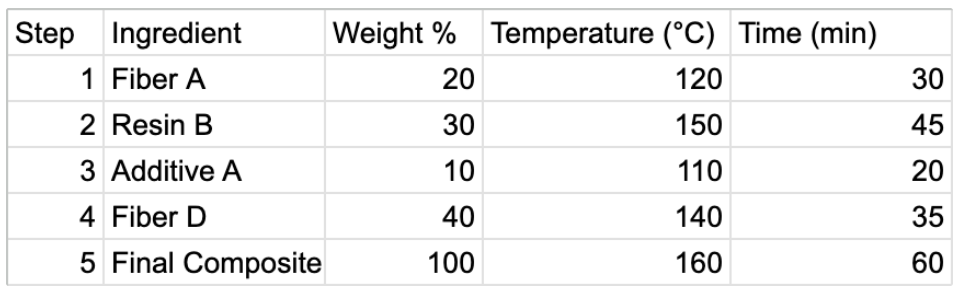
Step 1: Define your step fields
Admins can customize and add step fields from the Form Admin page. To add new step fields:
- Go to Form Admin.
- Under the Definitions tab, search “Recipe Step”
- Open the Recipe Step definition, select a group field, and expand the Fields tab
- Create a new field or add an existing field
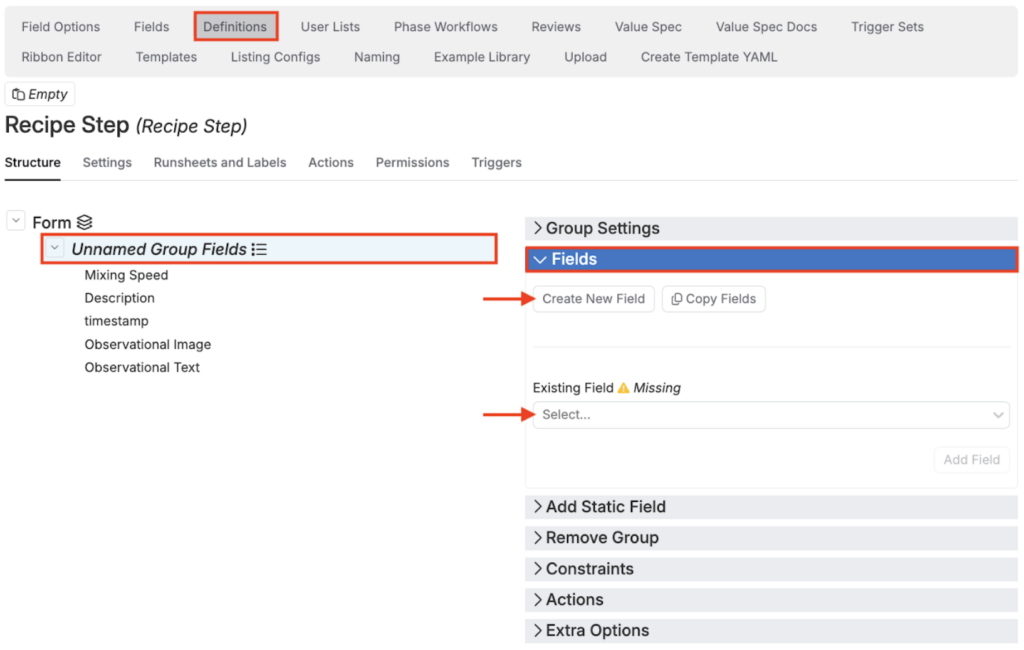
Step 2: Add step fields to your recipe
From the Recipe view of your experiments:
- Search for “Recipe Step Fields”
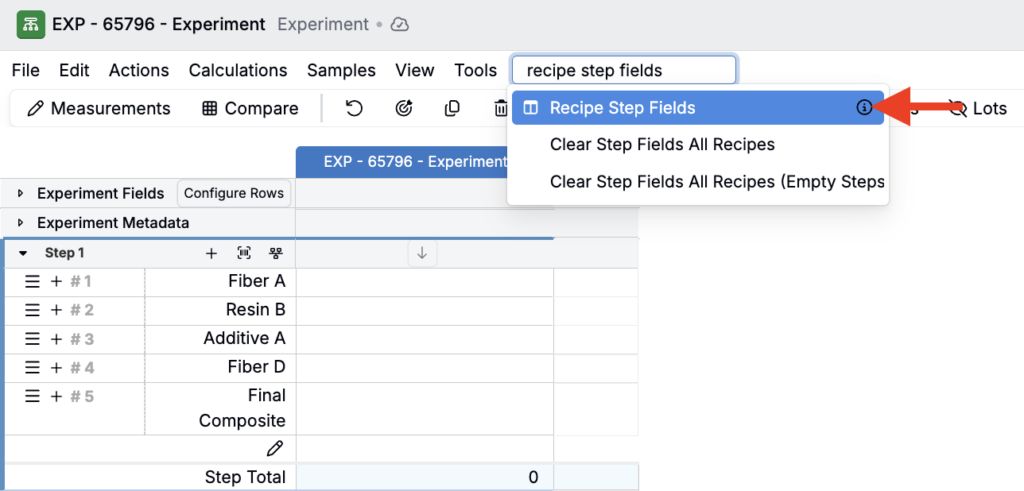
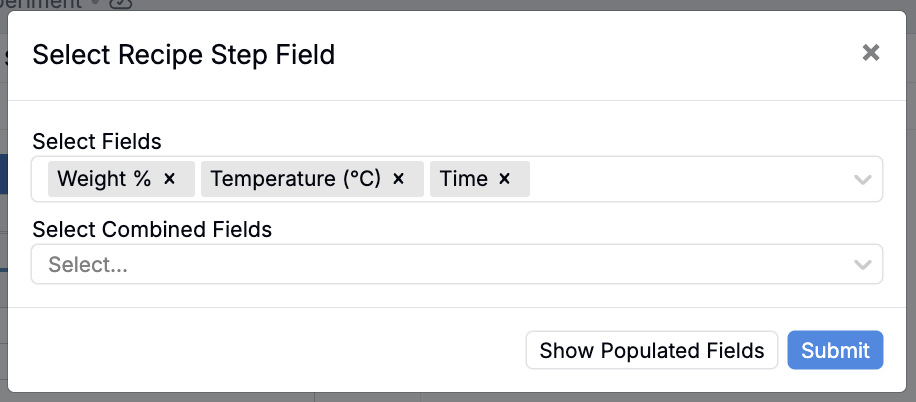
- In the modal, select the desired fields from the dropdown.
- Select Fields will add fields as per-recipe column
- Select Combined Fields will add as one column each for all recipes in view
- Click Submit
Reminder that recipe step fields can only be added to recipes that have mix order enabled. For more information, refer to Mix Order.
Step 3: Assign recipe step field values
Once recipe step fields have been added to your recipe, you can enter values directly into the cells for each mix step.
By following the steps above, Uncountable’s recipe step fields feature enables precise documentation of parameters and notes for each process step, supporting reproducible and auditable R&D workflows.