The Similar Recipes tool helps you quickly find previous recipes that are most similar to the recipe you are currently working on.
This is useful when you want to:
- Avoid repeating experiments that have already been run.
- Find prior work that is a good starting point for a new formulation.
- Compare your current recipe against historical recipes across your material family.
Open the Similar Recipes sidepanel
- Open the Recipe or Measurements view of any experiment.
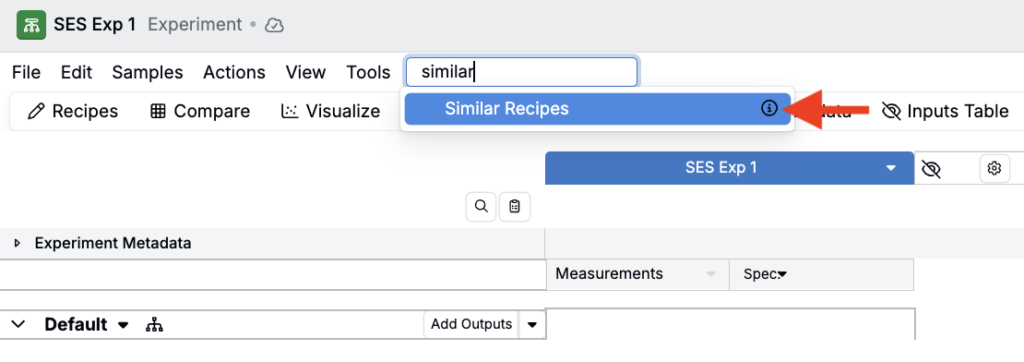
- Use the Search bar to search for Similar Recipes. This will open the Similar Recipes sidepanel.
Run a similarity search
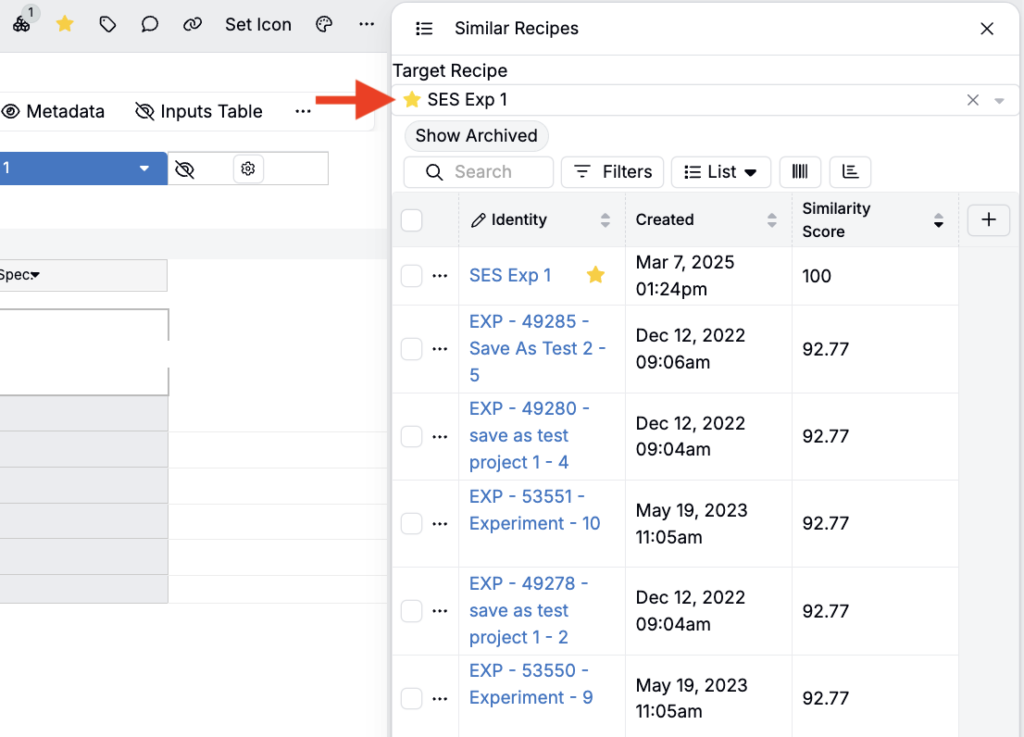
- In the sidepanel, use the Target Recipe field to choose which recipe to base the search on. By default, this should be the active recipe.
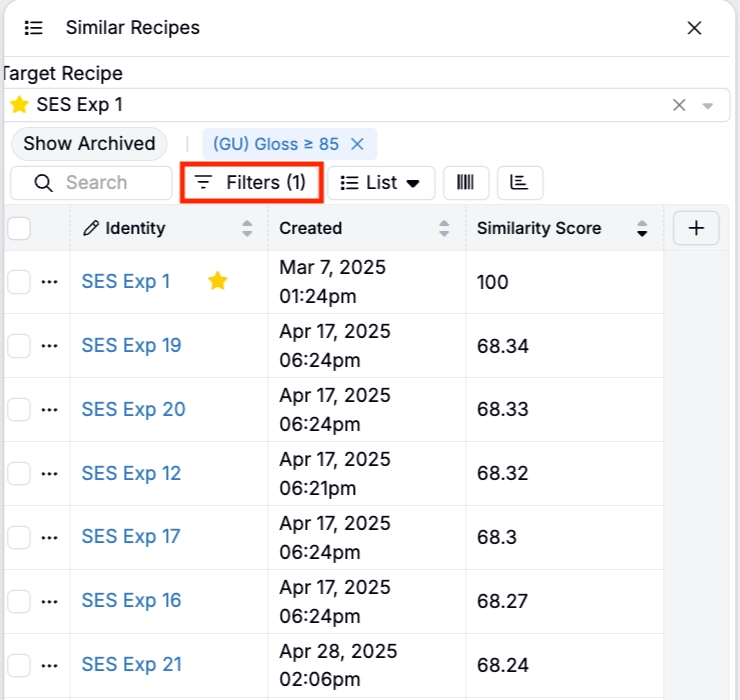
- (Optional) Add filters to refine your results. For example, filter to experiments within a specific project, experiments that contain specific inputs, or experiments with a specific measured output (e.g. Gloss ≥ 85).
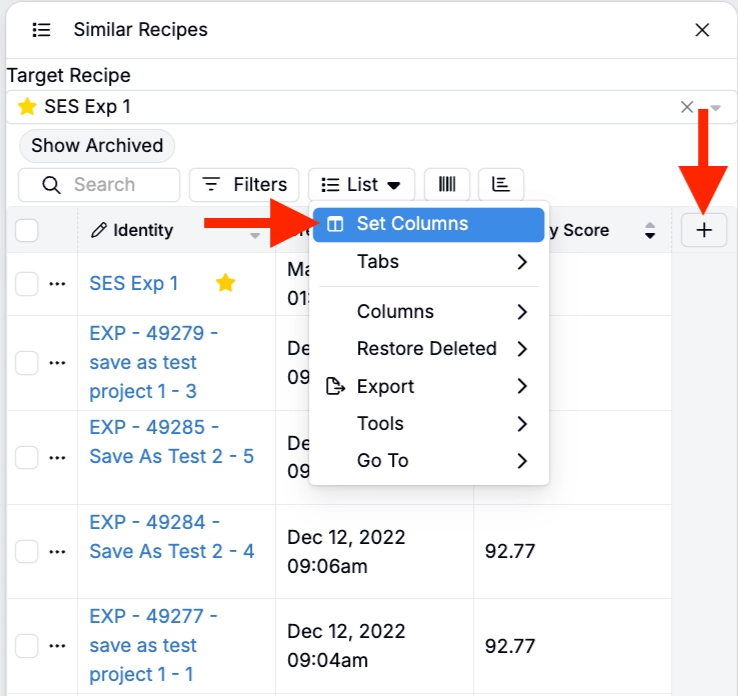
- (Optional) add additional columns by clicking the ➕ icon or by selecting List > Set Columns.
Understanding the results
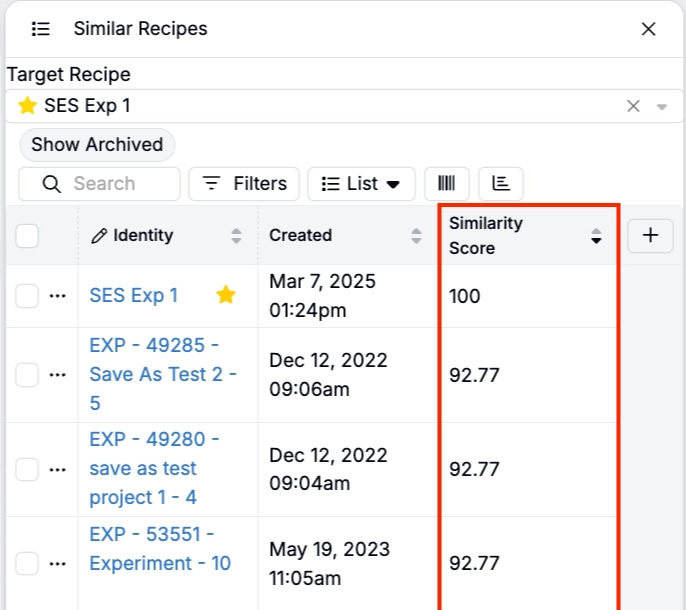
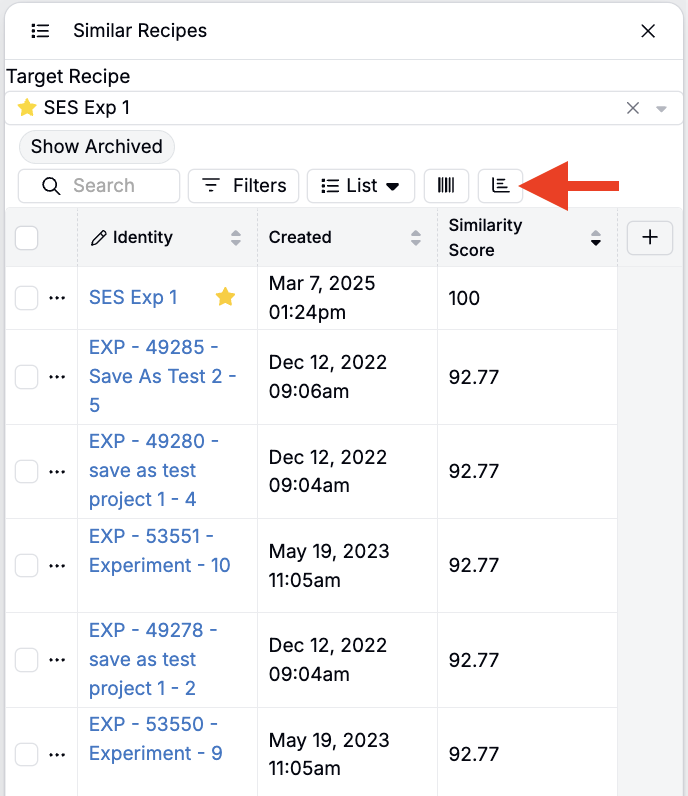
The Similar Recipes sidepanel displays a listing of candidate recipes with a similarity comparison value. By default, you will often see these columns:
- Identity — Experiment name
- Created — Date created
- Similarity Score — A score based on ingredient overlap and quantities (higher value means more similar).
The Similarity Score is computed based on recipes’ ingredient quantities. As a result, recipes that share multiple ingredients at similar quantities may score as “more similar,” even if the workflows differ.
💡 Math behind the Similarity Score
Behind the scenes, each recipe is converted into a numeric vector based on its ingredients and quantities. The system compares that recipe vector to other recipe vectors, then ranks the closest matches by Similarity Score.
The score is most useful for finding recipes with shared ingredients at similar quantities. It does not directly compare workflows, processing steps, or measured outputs, so recipes with similar compositions may still behave differently in practice.
Compare recipes
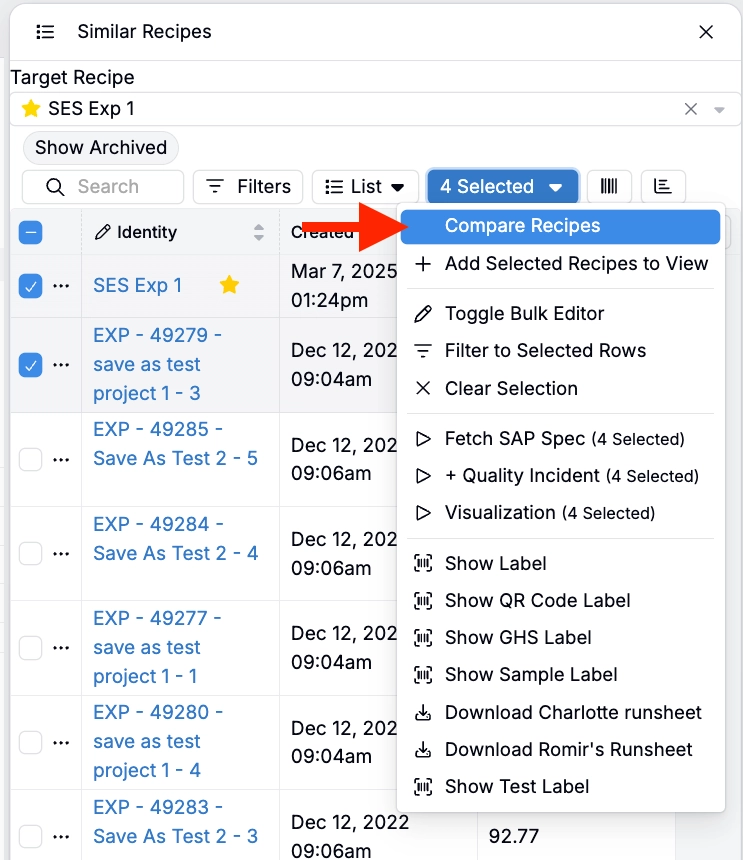
- Select one or more recipes in the results listing.
- In the Selection menu, click Compare Recipes to open a Compare page containing the recipes you selected. The active recipe is included by default.
Common workflows
- Check before you run: Before creating a new experiment, run Similar Recipes on your active recipe to see whether something close already exists.
- Find recipes outside your project: Many users care more about similarities outside the current project, since within-project recipes are expected to be similar.
- Production vs. development comparisons: Some teams filter the results to compare dev recipes against “production formulas” (if those are tagged or otherwise identifiable in the schema).
Additional sidepanel tools
Adjust your sidepanel view
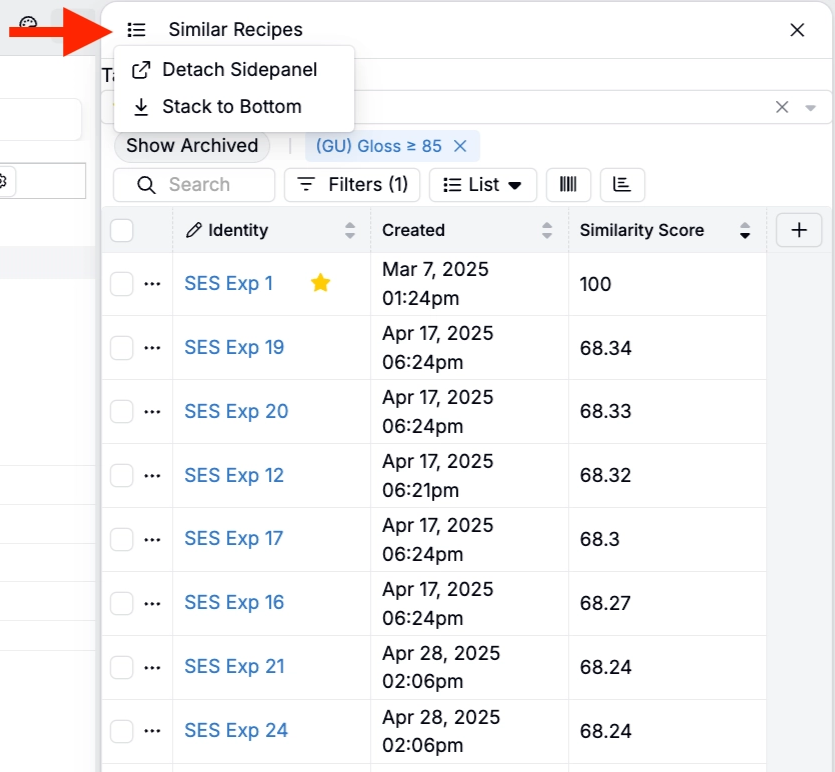
Use the stacked-lines icon to adjust how the Similar Recipes sidepanel is displayed:
- Detach sidepanel: Opens the sidepanel as a movable, floating modal.
- Stack to Bottom: Moves the sidepanel to the bottom of your page.
View and edit a chart
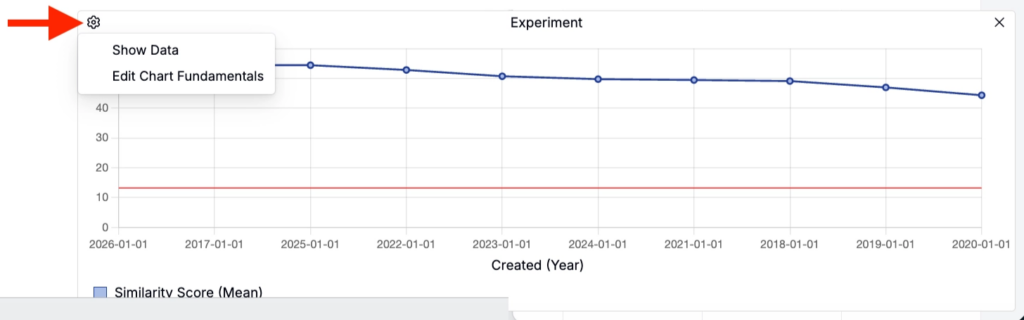
Click the graph icon to open a chart view of similar recipes.
The chart plots Created date vs Similarity Score (mean) to helps you quickly spot patterns in your results over time.
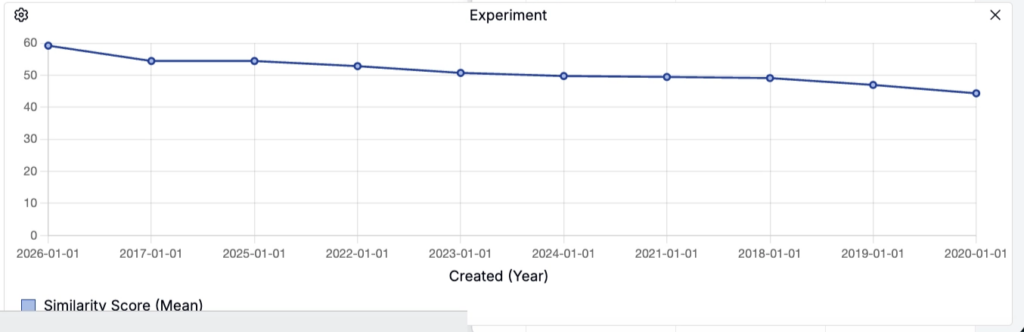
Click the ⚙️ icon and adjust chart settings or to view chart data within the sidepanel.
- Show Data: Adds a Chart Data tab to the Similar Recipes sidepanel with columns for Similar Score and mean Similarity Score.
- Edit Chart Fundamentals: Allows you to change the chart type, switch between aggregate vs. non-aggregate data, and adjust axis behavior.