
We’ve upgraded Generative AI management in Global Permissions → Modules. GenAI is now organized around connectors — the specific AI backends your account is connected to — replacing the single toggle that used to turn GenAI on or off. This gives admins one dedicated page to add, test, and manage every AI connector your account uses, control who can see AI conversations, and, for Bedrock, restrict which model families are available.
What’s changing
Configure Generative AI Module
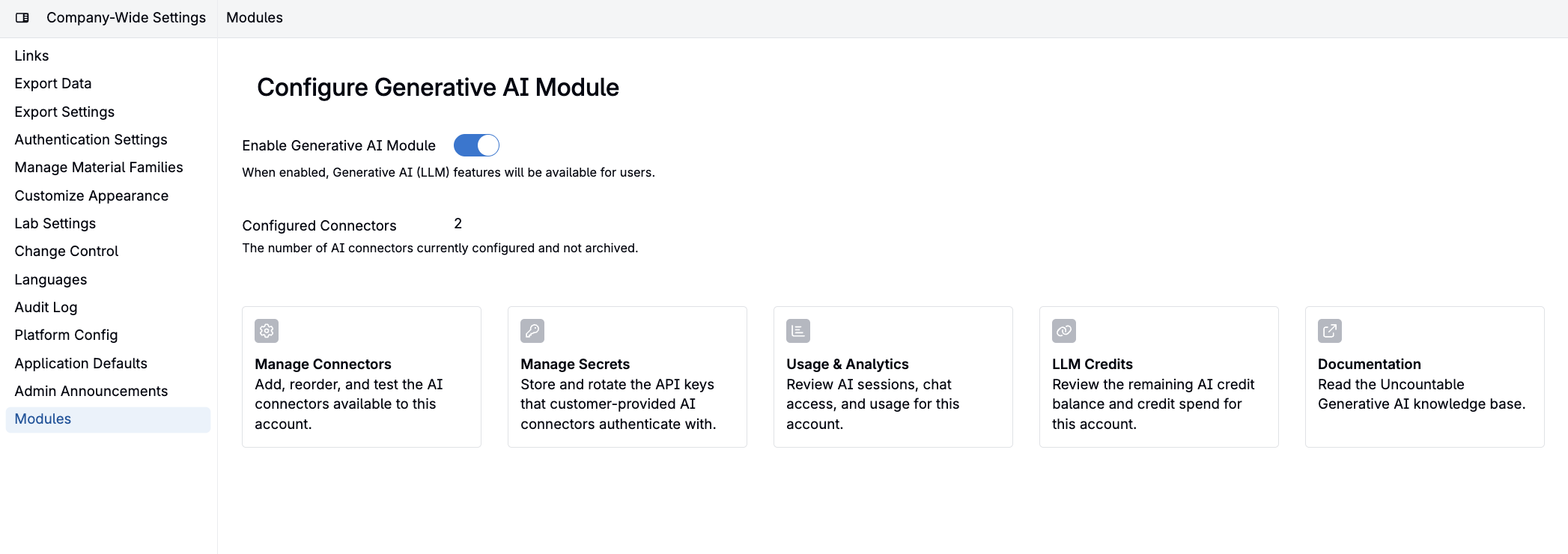
The previous GenAI enablement switch has been replaced with a Configure Generative AI Module entry under Global Permissions → Modules, giving admins a dedicated place to manage GenAI settings.

Selecting Configure opens a dedicated page with four sections:
- Manage Connectors — add, reorder, and test connectors; each connector can be smoke-tested from the list so you can confirm it works before relying on it
- Documentation — the Generative AI knowledge base
- Usage & Analytics — Bodie chat sessions, AI session history, and a link to the Chat entity’s permissions page for controlling who can see which conversations
- LLM Credits — review the remaining AI credit balance and credit spend for the account
- Manage Secrets — store and rotate the API keys that customer-provided AI connectors authenticate with
Guided connector setup
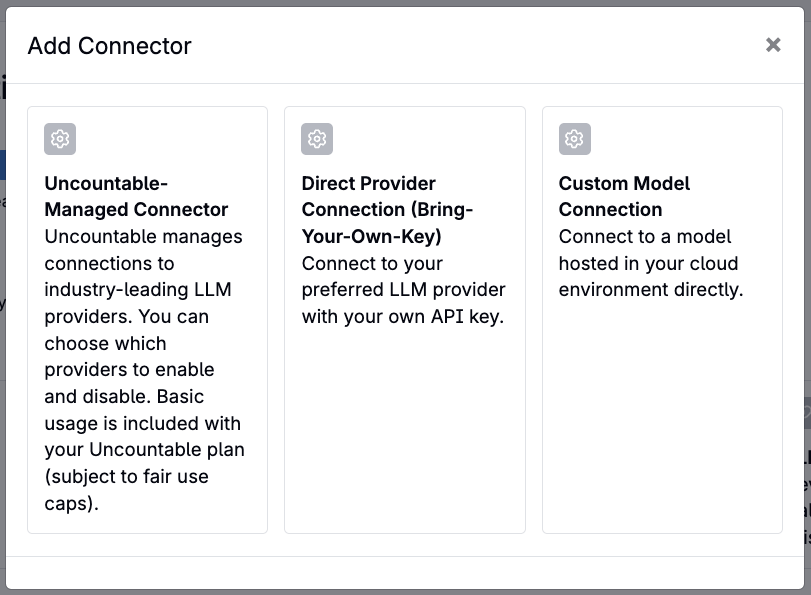
Adding a connector now walks admins through a guided choice — Uncountable-managed, your own API key, or a custom model endpoint — with a setup flow tailored to each connector type.
More providers, including Google
Google is now available as both an Uncountable-managed and bring-your-own-key connector, giving access to the latest Gemini models, including Gemini 3.1 Pro and 3.6 Flash.
Per-connector model control for Bedrock
Bedrock connectors now support model-family controls, so admins can restrict AI use to specific vendors or regions.
Shared chat viewability
When a colleague shares a chat with you, you can now view the underlying AI session behind that shared conversation.
Potential use cases
- Route long-context research summarization to Gemini 3.1 Pro, and quick, low-cost tasks to Gemini 3.6 Flash, alongside your existing OpenAI, Anthropic, or Bedrock connectors.
- Restrict a Bedrock connector to specific model families to keep AI usage within an approved vendor list or region.
- Review the reasoning behind a shared Bodie conversation, not just the final answer, when a teammate shares a chat with you.