
Uncountable’s AI-powered visualization tool lets you create Explore Data plots from plain-language prompts. Describe the variables you want to plot and any styling or grouping, and Gen AI will choose the fields, pick a suitable chart type, and render the plot.
This is ideal when you want to explore a question quickly without building filters or configuring charts by hand. Note that this feature is available only in schemas where Gen AI is enabled.
How it works
Click the ✨ icon on the Explore Data page.

Describe what to plot, for example: “Plot Polymer A vs Experiment Name”. If prompted, confirm the fields so Gen AI selects the right data.
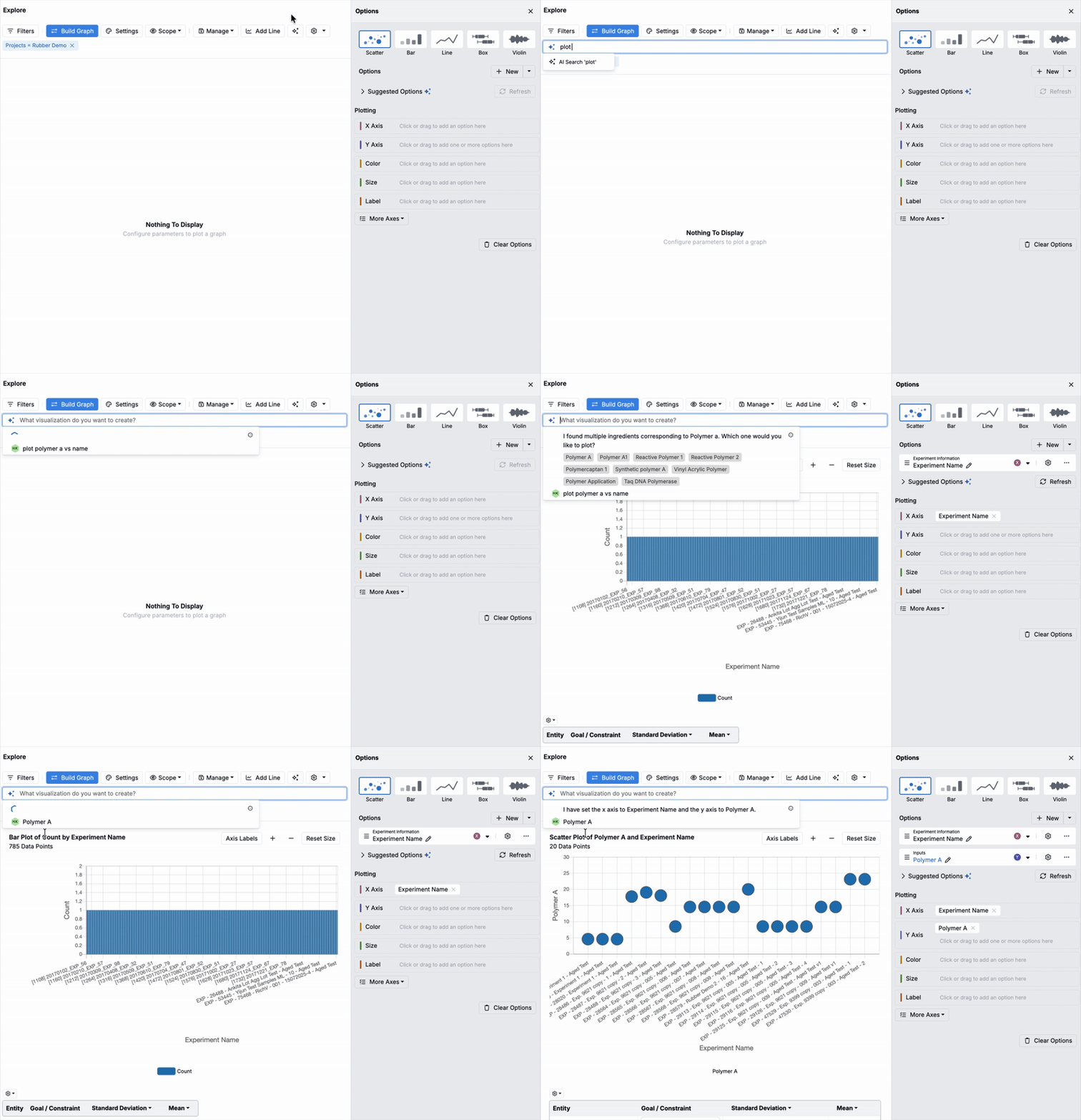
Use follow-ups like “Color by formic acid concentration” or “Size by viscosity” to refine the visualization.

With AI-driven plotting, scientists and teams can explore trends, compare metrics, and surface insights more efficiently on the Explore Data page.
Availability
This feature is available only for workspaces with Gen AI enabled in their schema. If you do not see the option, speak to your Uncountable representative to add Gen AI.