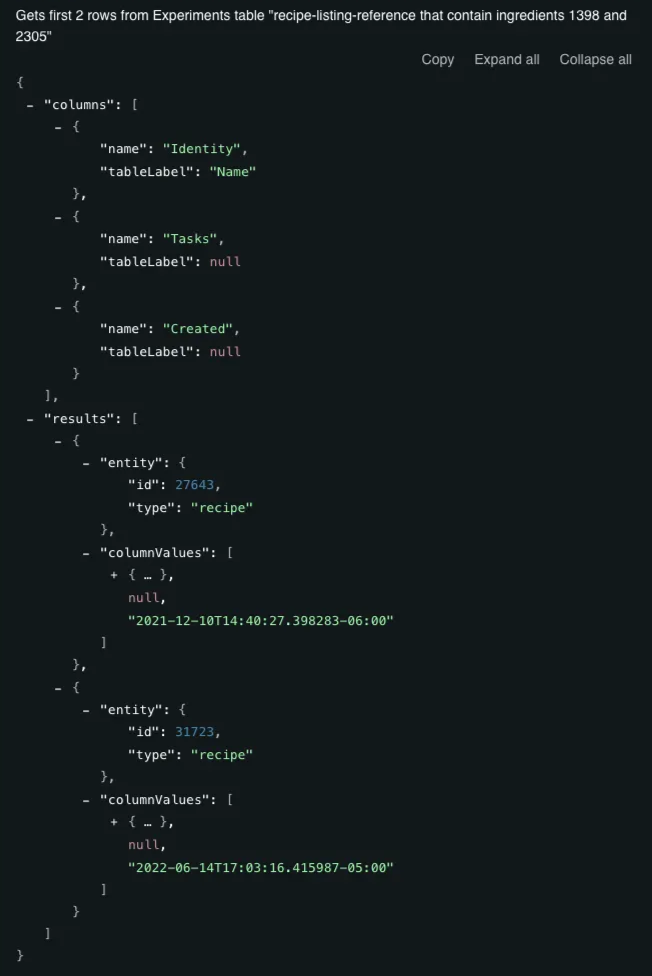
Uncountable exposes a REST API for programmatic access to platform data. All API endpoints and request parameters are documented at https://app.uncountable.com/docs.
This document covers how to use the list_entities endpoint to retrieve data from Uncountable.
Overview
list_entities the primary API endpoint for retrieving data from Uncountable. Rather than querying entities directly, this endpoint returns data from a saved listing configuration that you define in the UI.
In practice, list_entities works like this:
- You create a Listing Config in the Uncountable UI that defines the base dataset and the columns to return, with filters.
- You reference that listing configuration in your API call.
- The API returns the rows from that table.
Step 1 — Creating a Listing Config
1. Create a new config
- Navigate to the Listing Configs tab of the Form Admin page.
- Click Create Explicit to create a new config.
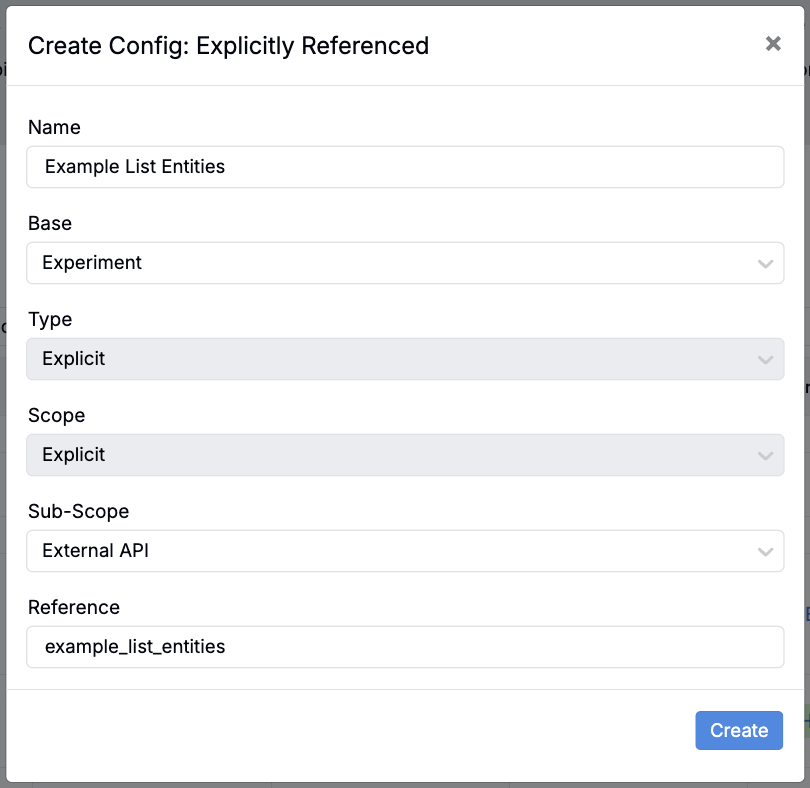
- In the modal, fill out the following information:
- Name: Add a listing name.
- Base: Choose the base dataset you want to pull data from (e.g. Experiments, Projects, User, User Activity).
- Sub-Scope: Set to External API.
- Reference: Add a reference (this will be used to reference the listing table in your API call).
2. Add columns
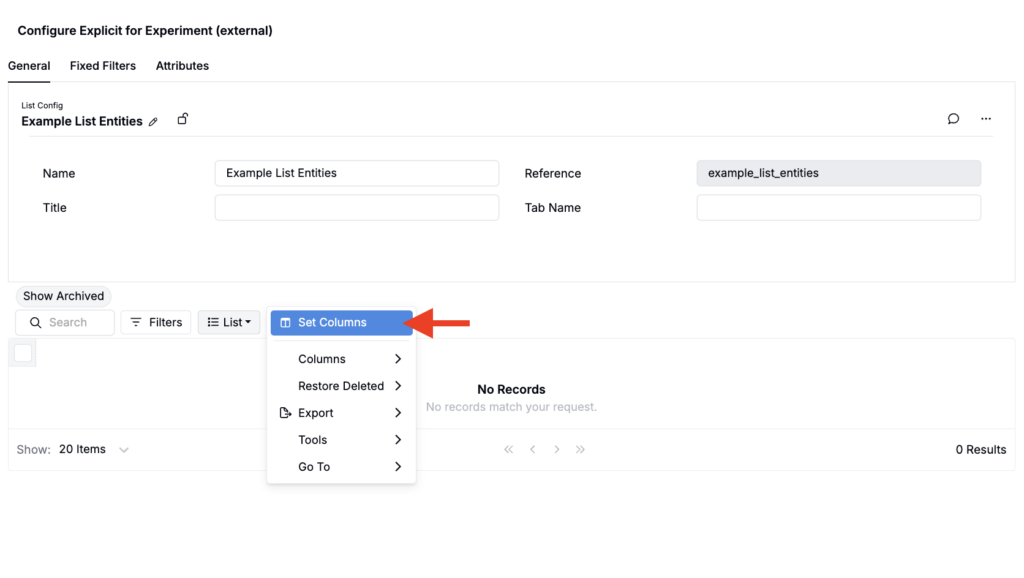
- On the new listing config, click List > Set Columns.
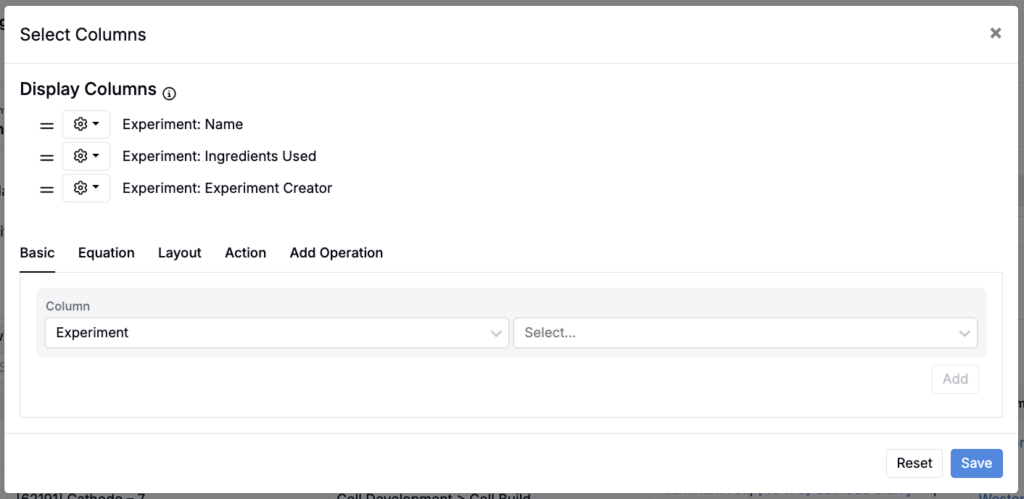
- In the modal, select the columns you want included (e.g. Experiment + Experiment Creator, Experiment + Ingredients Used).
- Click Save.
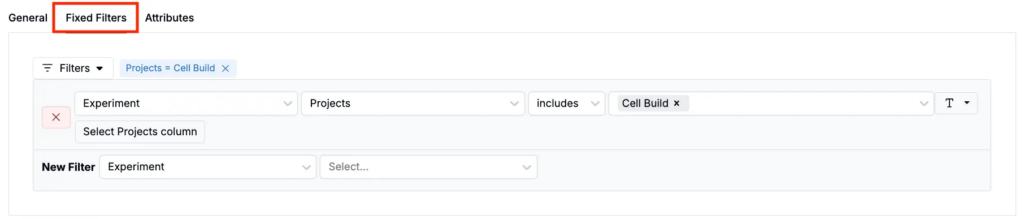
3. Add fixed filters
Use fixed filters to permanently narrow the listing to a specific subset, such as experiments with particular measured outputs or those within a specific project.
To create a fixed filter:
- Click the Fixed Filters tab.
- In the filter fields, add a fixed filter (e.g. Experiment + Project + includes + Cell Build).
- Once added, this filter is applied by default whenever the listing config is called.
4. Add dynamic filters (attributes)
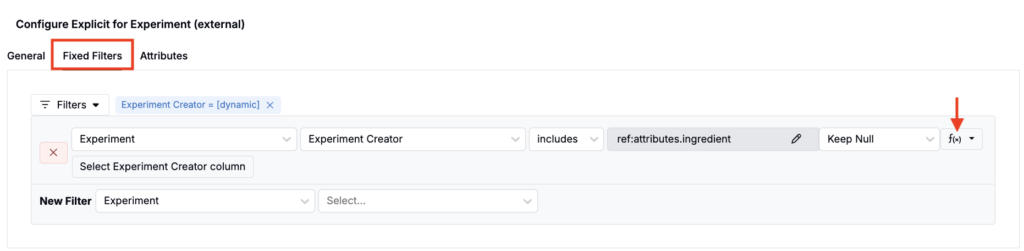
You can also use attributes to make the listing dynamic at request time. Define which attributes are filterable in the config, and provide their values in your API call.
To add attributes for filtering:
- Click the Fixed Filters tab.
- In the filter field, add a filter using value spec (e.g. Experiment + Creator + includes + ref:attributes.ingredient or ref:attributes.user)
- Once added, you can include attribute values to filter the listing by in your API call.
5. Pagination
The API returns at most 100 rows per request. To retrieve more, paginate with limit and offset and issue multiple requests until all rows are fetched. See the Pagination of APIs guide for examples.
Step 2 — Calling the list_entities endpoint
Once you have a listing configuration, you can retrieve its data by calling the list_entities endpoint.
Endpoint: /api/external/entity/external_list_entities
Request structure
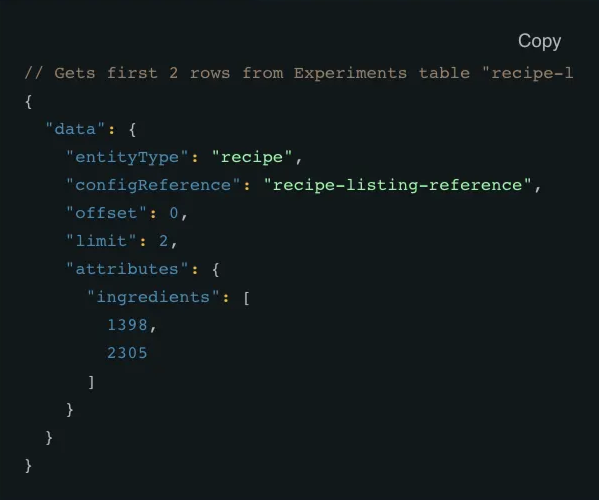
The request body must include a top-level data object. At minimum, this object should contain:
- entityType: The base entity type of the listing.
- configReference: The reference of the listing configuration you created in Step 1.
Optional fields include:
- limit: The maximum number of rows to return (up to 100).
- offset: The starting row index, used for pagination.
- attributes: An object used to supply values for attribute-based filters defined in the listing configuration.
All API endpoints and request parameters are documented at https://app.uncountable.com/docs.
Response structure
The response mirrors the listing table defined in the UI, returning column definitions and row values in a consistent, ordered structure.